Create Jacquard
创建提花
To generate a Jacquard in the pattern, mark the desired area in the pattern and open the context menu.
Click on 选择 -> 创建提花...
The 创建提花 dialog box appears.
Make the desired settings in the dialog box and click on 创建提花.
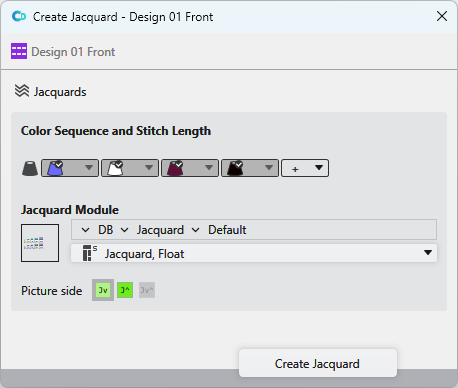
Make the following settings in the 创建提花 dialog box:
|
|
Opens the 提花 tool window. |
|
颜色顺序和线圈长度
|
Define the color sequence of the Jacquard.
|
|
|
Opens the 编织资源管理器. |
|
数据库 |
Select the path from the 编织资源管理器 directly. For this click on the arrow |
|
|
Select a module for the Jacquard from the drop-down menu. |
|
提花图 |
You have three alternatives:
|


 appears above the system. Move the system by drag-and-drop on this button and change the color sequence with it.
 button.
 .
.


 Jv:
Jv:  J^:
J^:  Jv^:
Jv^:  : not possible with all Jacquard modules.