Dimensions
This tool window contains all dimensions and formulas of the current dimensioned shape.
- You can open the Dimensions tool window in the Start tab in the Parameters group by
 Dimensions.
The measure table is divided into:
View Options of the Measure Table
Above the tables you will find these options to influence the display:
-

Show the difference column
Shows the column of the absolute values of grading steps. -

Show Correction Values
Shows the correction values of the Dimensionings. -

Show All Sizes
Shows all sizes of the group.
- Deactivate to show only the current size (e.g.
 ).
).
-

Show Sub-rows -
Shows all the sub-rows.
-
Different sub-rows can be displayed with the plus symbol
 of the respective main row.
-

Hide Sub-rows -
Hides all sub-rows.
-
Different sub-rows can be hidden with the minus icon
 of the respective main row.
Measures in the Measure Table
This table lists all dimensions with the following specifications:
-
Consecutive numbering of the dimensions and their sub-dimensions

Selected main rows can be sorted moving them with the mouse. -
Show Sub-rows
The sub-rows show in which fabric piece the dimension is being used as dimensioning.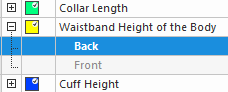
-
Show Sub-rows
-
Hide Sub-rows
-
Identification color

Click the box to change the color value. Colors
 -
A dimension used in a formula
 with
with 
-
A dimension used in a fabric piece
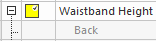 with and sub-row
-
Not used dimensions

-
Label
Name of the dimension
You can enter a text here. Unauthorized characters: ( ) [ ] { }
The sub-rows shows, in which fabric piece the dimension is being used as dimensioning. -
Dif (Difference)
Absolute value in cm or inches for the resizing from one size to the next
The view option shows the column of the absolute values.
-
Size ID (e.g. M)
Length in the selected measurement unit for the specified size
The asterisk stands for basic size.
Example -
+/- cm or +/-inches
Correction by cm or inches for the specified size -
+/- Ω
Correction by stitches for the specified size
Context menu of table rows:
-
Add Main Row
Adds a new main row.
-
Remove Rows
Removes selected rows. Only available for rows not in use.
-
Copy
Copies the content of the current row. -
Paste Content
Pastes the copied content of a row into an existing row.
Formulas in the Measure Table
This table lists all formulas with the following specifications:
-
Consecutive IDs of the formulas and their sub-rows

Selected main rows can be sorted moving them with the mouse. -
Show Sub-rows
The sub-rows show in which fabric piece the formula is being used as dimensioning. -
Identification color
Click the color to change the color value. -
Show Sub-rows
-
Hide Sub-rows
-
Identification color
Click the box to change the color value. -
Formula used in a formula
with
The result of a formula can be used in another formula.
Example: Calculated Shoulder Drop at the Back= ([Calculated Shoulder Width]-[Calculated Neck Width at the Back])/2*0.75 -
Formula used in a fabric piece
with and sub-row
-
Formula not used
-
Label
Name of the formula
You can enter a text here. Unauthorized characters: ( ) [ ] { } -
Dif (Difference)
Without Function -
Size ID (e.g. M)
Length in the selected measurement unit for the specified size
The asterisk stands for basic size.
Example -
+/- cm or +/-inches
Correction by cm / inches for the specified size -
+/- Ω
Correction by stitches for the specified size
The specifications in this table are calculated. Therefore, the specifications cannot
be edited.
Edit the formula to change the dimension.
Context menu of these table rows:
-
Open Formula Editor... (selected rows only)
Opens the Formula Editor with the selected formula.
Determine dimensions depending on other dimensions of the shape. -
Add Main Row with Formula...
Opens the Formula Editor.
Create formula and add it to the table.
-
Remove Rows
Removes selected rows. Only available for rows not in use.
-
Copy
Copies the content of the current row. -
Paste Content
Pastes the copied content of a row into an existing row.
 How to Sort the Measures in the Measure Table
Start Ribbon