Assign Knitting Range
Place the created knitting range to the back, front, and sleeves.
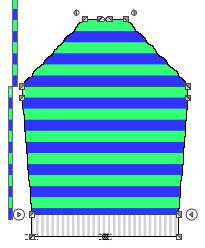
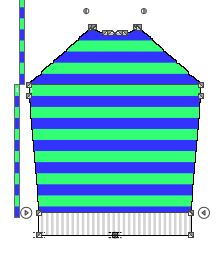
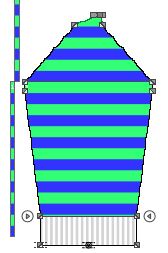
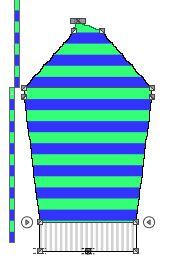
The armhole startpoint in each fabric piece serves as reference point for the synchronization of the colored stripes.
- Select the
 Knitting Range function in the Drawing Tools group.
- Select the Colored Stripes knitting range.

- Go to the back.
- Click the shape point at the arm hole start.
- The Place Knitting Range pop-up window appears.
- Keep the
 Insert Range Below Distance· check box deactivated.
- Select the value 0 as distance from the shape point to the lower limit of the colored stripe range via
the
 edit box.
- Confirm with
 .
.
- The pop-up window closes.
- The colored stripe area appears on the back above the reference shape point.
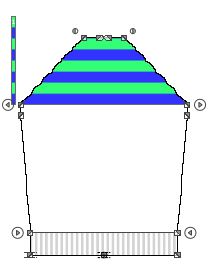
- Click on the same shape point with the the Knitting Range function again.
- The Place Knitting Range pop-up window appears.
- Activate the
 Insert Area Below Distance check box.
- Select the value 0 as distance from the shape point to the upper limit of the colored stripe area via
the edit box.
- Confirm with .
- The pop-up window closes.
- The colored stripe area appears on the back below the reference shape point.

 Note
Note
Proceed the same way in order to allocate the colored stripe range at the front and
in the sleeves.