Options of the Dimensioning View
In the status bar of the dimensioning view  you will find the following display options:
-

Show Dimensions
Shows the main and sub-dimensions of the current size within the shape.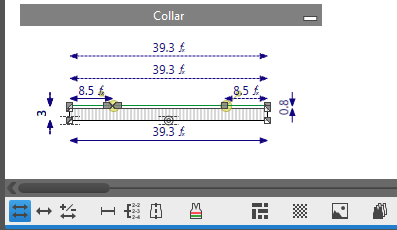
-

Show Main Dimensionings Only
Shows the main dimensions of the current size within the shape only.
You can determine any desired dimensioning as main dimensioning.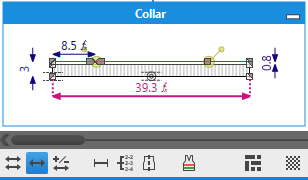
-

Show Corrections
Shows the correction values of the current size within the shape.
Here a correction by 5 additional stitches: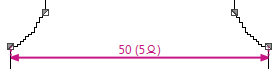
-

Show Control Dimensions
Shows the control dimensions by stitches.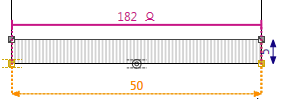
-

Show Knitting Specifications
Shows the knitting specifications of the current shape.
The specifications for stepping, start and a summary will be generated automatically.
Here the specifications for the stepping in the armhole: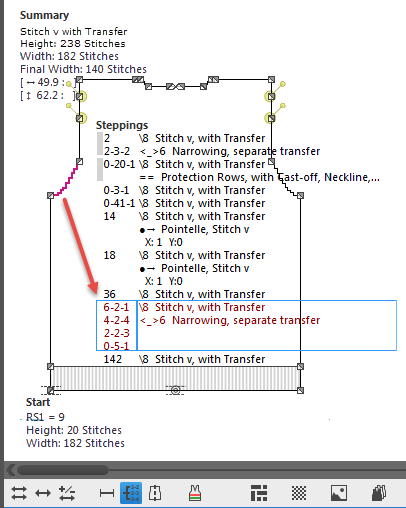
 How to Read the Stepping Specifications
-

Show Symmetry Axis
Shows the symmetry axis through the point of origin and the endpoint.
Symmetrical points are mirrored at this axis.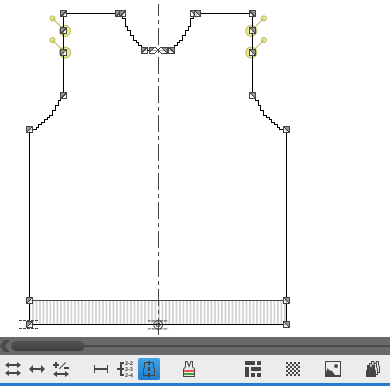
-

Show Knitting Ranges
Shows the placed knitting ranges of the current shape.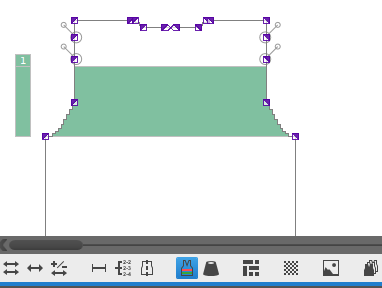
-

Show Yarn Colors
Shows the identification colors instead of of the allocated yarn colors.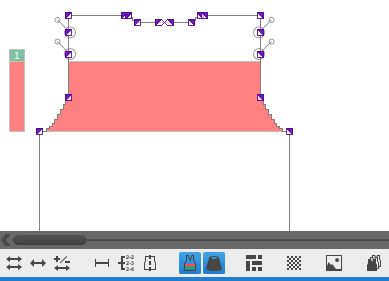
WithShow Knitting Ranges only!
-

Show Raster Points
Shows the stitches (raster points) corresponding to the stitch density of the current shape. -

Show Images
Shows the added bitmap image files. Context menu on the Background of the Dimensioning View
-

Show All Sizes
Shows all sizes of the current shape.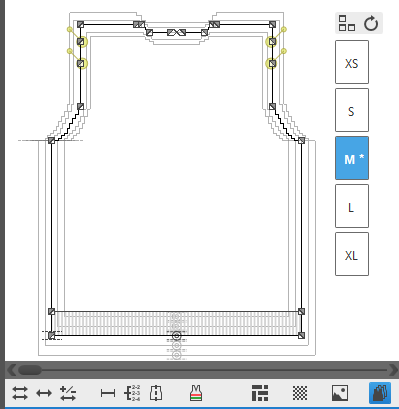 How to Set the Reference Line for the View of All Sizes