Stitch length change
The stitch length for a shape edge and an edge width for the use of this stitch length can be specified in the Stitch length at shape edge section of the shape editor.
If the cutting shape calculated from this shape is positioned on a pattern or if a new Fully Fashion basic pattern is created from it, these specifications are automatically applied in the General tab of the Shape attribute dialog box.
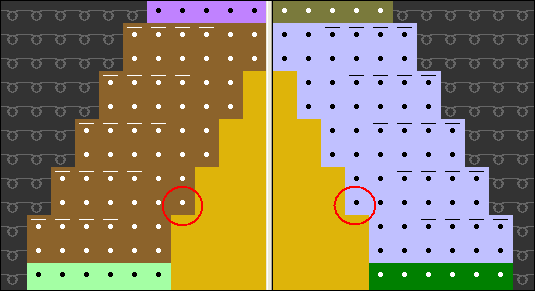
With the Stitch length change  symbol from the dialog box you can add this with the symbol or delete this with the +
  symbols up to the processing step Expanding in the Symbol view.
The symbol will not be entirely available until the Shape symbols  are active in Pattern presentation.
If you use the icon to draw-in a Stitch length change in a shape edge in the in which no have been defined as of yet, you must additionally enter the NP value in the General tab in Shape attributes so that the NP values are applied in the pattern.
The stitch length change will be inserted again via the processing step Expand  . If manual interventions were carried out in the that are not to be overwritten by the function, they need to be deleted with the symbols + .