What was new in 7.6?
M1plusSoftware version: V 7.6
- EKC 3.0
- CKC 2.0
- OKC 6.6
M1plus ≥ V 7.6.045 Export => Import CREATE PLUS V2.5
Optimizing BMS
- Yarn carriers could be moved by one system only into and from the clamping position.
This resulted in a longer run time. - Both systems are supported now by the Technical Processing.
- The CKC V1.4 operating system must be used by the knitting machine.
Control of Collecting Area of BMS
Condition: CKC V1.4 and BMS Component Type 001
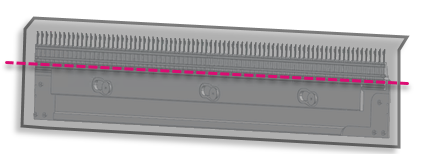
The monitoring of fabric collection chamber prevents the comb from taking casted-off fabrics upwards.
- With BMS, the commands LW1 and LW0 replace the commands LK1 and LK0.
- The commands LW1 and LW0 are available with Find and Replace.
- The command LK1 of the comb thread modules for BMS is replaced.
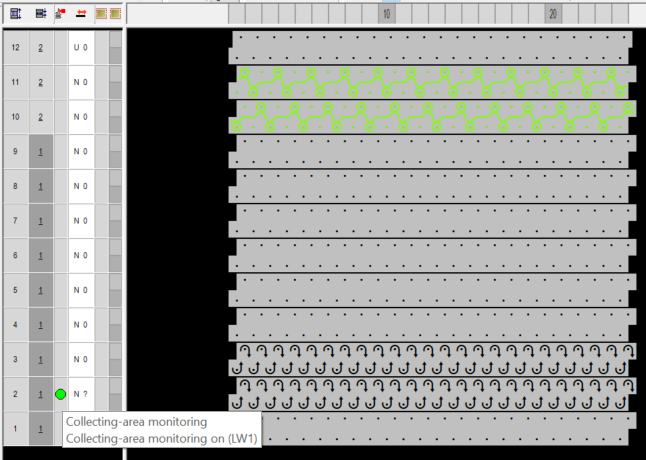
-
LW1 in addition in the new protection thread module Protection Rows_BMS
With it, the monitoring is done before the start of the following fabric piece. - The protection thread module will automatically be replaced with changing to a BMS.
A message will appear with the change. - The commands LK1 and LK0 of the Sintral functions CombThread_x_comb2.sin will no longer be deleted but replaced by the commands LW1 and LW0.
- New icon for the control column

Narrowing modules for k&w
- Secure Transferring
- E 10.2, also usable for other gauges
|
|
| ||
|
|
| ||
|
|
| ||
|
|
| ||
|
|
| ||
|
|
| ||
|
|
| ||
|
|
| ||
|
|
| ||
|
|
| ||

Changed behavior of Float and Lock modules
You can influence the sequence of knitting-in and out.
Necessary editing in the module for the right side:
- 25
- Insert additional rows.
The number depends on how many yarn carriers the sequence is to be determined for. - 26
- Draw the colors in the inserted rows and remove these rows from the float in right cycle.
Yarn carriers that are not drawn in are automatically floated in by the row of the cycle. - 27
- Draw in the yarn carriers drawn in for floating-in for knitting-out as well.
Here, you can overwrite existing rows with the color. Then you have to remove these rows from the Float out and lock right cycle. - 28
- Remove for the drawn in yarn carriers in the yarn field.
- 29
- If necessary, edit the module accordingly for the left side.
 : The technique color 201 and the color used in the first two rows of the start module must not be knitted in manually.
These colors are automatically inserted into the pattern by the technical processing.
Example: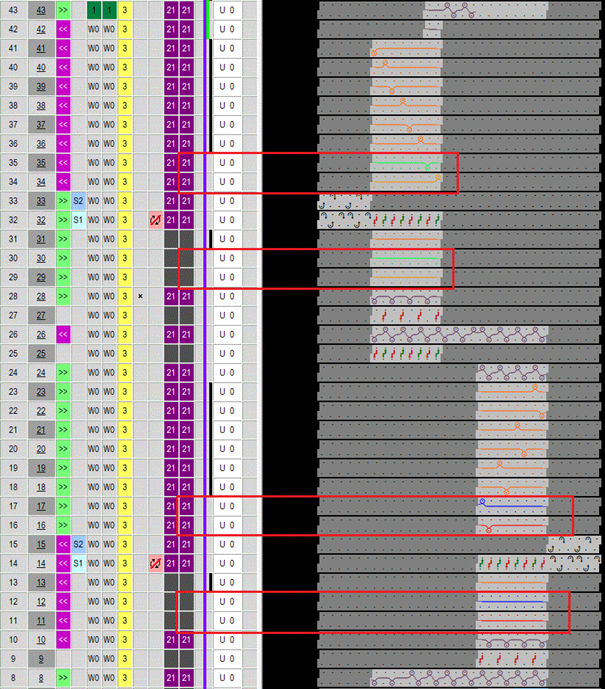
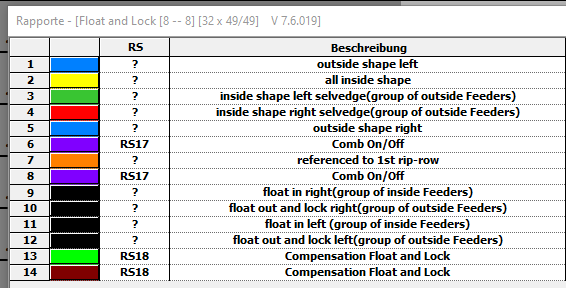
The cycles of the Float and Lock module:
Undefined entry for the control column
Instead of Off, Undefined is the new default setting.
Affected module groups:
|
|
|
|
| |
|
| |
 entry for the control column of CA
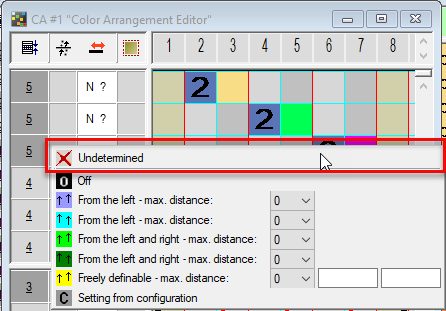
- Behavior of control column data from the Color Arrangement:
-
 overwrites the values of the control column of the pattern.
 - All entries but overwrites the existing values of the control column of the pattern.
-
deletes existing entries in the CA
is treated as transparent within the pattern. - CA of database are converted to the value by default.
- When loading, CA of previous patterns will be converted from the to .
- Control columns → Multi-system Transferring