The Module Explorer of Database and Pattern
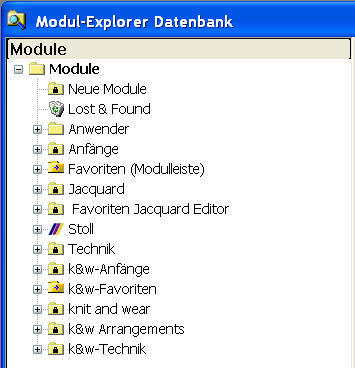
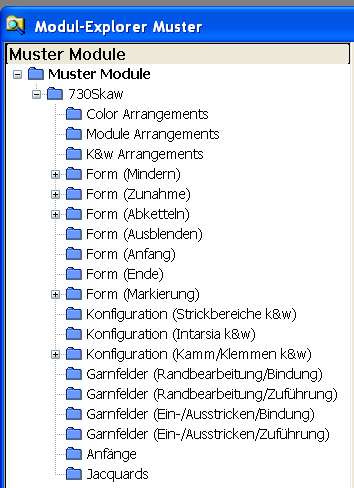
The two Module Explorer of the M1plus:
|
Module Explorer of Database |
Module Explorer of Pattern | ||
|---|---|---|---|
|
|
| ||
|
Use the Module Explorer of Database in order to:
|
Use the Module Explorer of Pattern in order to create, edit and organize modules, pattern elements and Arrangements of the loaded pattern. | ||
|
The modules are saved on the database on the hard disk of the Pattern Workstation |
The modules are saved with the pattern. | ||
|
Modules of Database |
local modules, pattern elements and arrangements | ||
|
Modules are organized in module groups according to their function.
|
The modules are organized in module groups according to their use in the pattern. Example: | ||
|
Technical Modules | |||
|
Stoll Technical Modules |
own Technical Modules |
linked Stoll Technical Modules |
own Technical Modules |
|
Stoll Technical Modules will be linked with the pattern. |
Own Technical Modules will be automatically copied into the pattern and and will be saved in the Module Explorer of Database for reuse. |
|
|
|
You can not edit Stoll Technical Modules.
|
You can edit Technical Modules of your own.
|
You can edit linked Technical Modules from Stoll.
|
You can edit Technical Modules of your own.
|
|
New pattern will use the original version. |
New pattern will use the actual version. |
You can save the Technique Modules of a pattern to the module database in order to reuse them in a other pattern. | |
|
Always write protected |
You can activate and deactivate the write protection. | ||
 write protected module groups / Stoll modules
 open module groups
 Configuration (Knitting areas k&w) module group contains the modules allocated within the
  : Copy these modules in order to edit them. By this a module of your own will be created in the database.