Generate and edit CA and MA
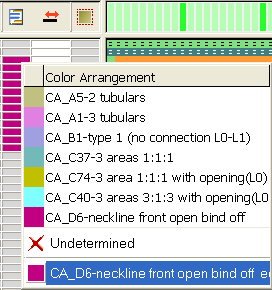
- You can open a Color Arrangement or a Module Arrangement in the context menu of the control columns directly in the Arrangement Editor.
- In the context menu, click on the allocated arrangement (lowest entry).
- You can also generate Module Arrangements and Color Arrangements covering row areas that are not contiguous.
- Select several, non-contiguous rows.
- Click
 or
or  .
. - You can generate and allocate different arrangements for different layers (L0 or L1).