Move areas in the pattern vertically
With the  function, you move entire rows, stitches or pattern areas.
- Moving entire rows:
Without selection in the pattern, an entire row is automatically selected at the cursor position. By pressing and dragging with the left mouse button, you move either this row on to another row or between two rows.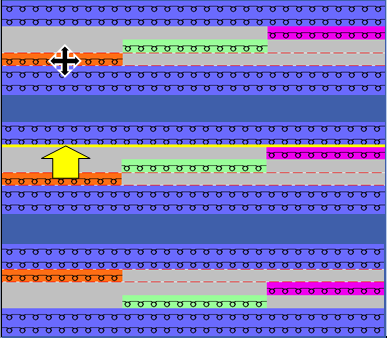
- Moving individual stitches:
With the Shift key pressed or with the option , you move one single stitch position. - Moving of selected pattern areas:
Moving the selected area only. - Single-row areas can either be moved onto another row or between two rows.
- Multi-row areas can only be inserted between two rows.