Application example - Knit yarn carrier over neck opening to home position
Modules
The modules YG-Home V-neck and YG-Home V-neck (1x1) can be found here:
|
| ||||
|
|
| |||
|
|
| |||
|
|
|
| ||
|
|
|
|
| |
|
|
|
|
| |


Module description
Module: YG-Home V-neck
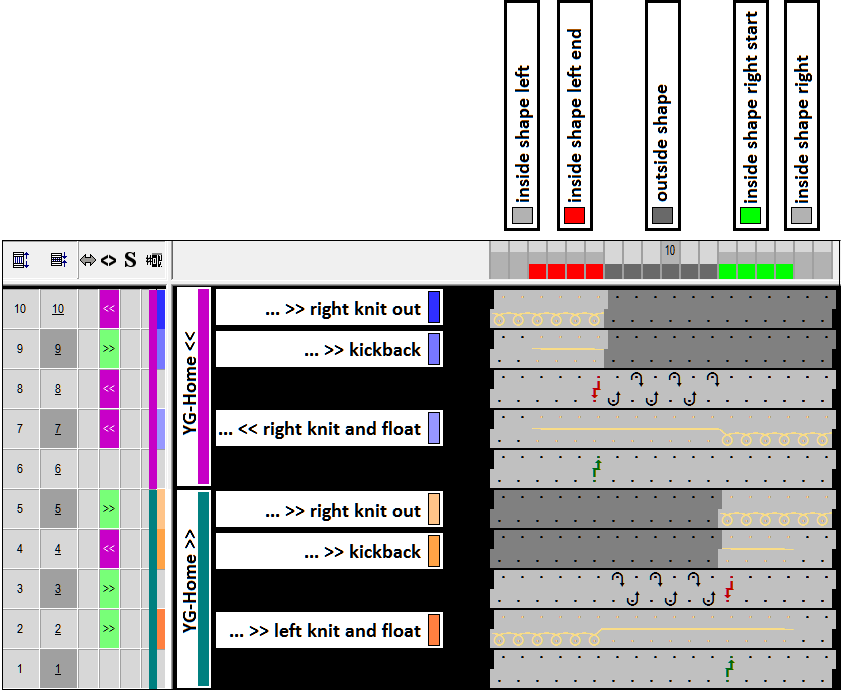
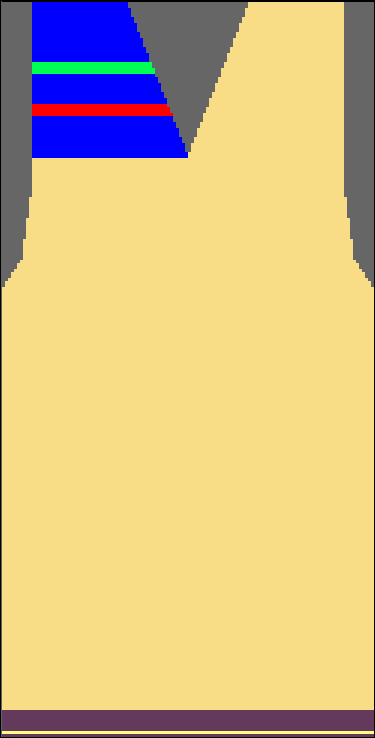
Pattern example
Requirements for the pattern:
- Machine: CMS 502, clamping and cutting bed on the right side
- FF front with stripes in the left V-neck
- Knit-in the yarn carrier on the opposite side
- Knitting-out of the yarn carriers to their home position over the opening
- Process protection rows with separate, defined yarn color
Create Pattern
- Shaped pattern is loaded
- 1
- Draw the left V-neck with an additional yarn color (#3)
- 2
- Draw colored stripes with additional yarn colors (#4, #7)
Settings in Configuration dialog box
- 1
- Select the tab in the Configuration... dialog box.
- 2
- Select the module for the protection rows under the section in the list field.
- 3
- Activate the
 check box and enter the number of the yarn color (24) in the entry field.
 - 4
- Select the module for knitting-out the yarn carriers to the home position under the section in the list field. Here YG-Home V-neck.
- 5
- Confirm settings with OK or Apply.
Settings in the Yarn Field Allocation dialog box
- 1
- Open Yarn Field View
 .
. - 2 yarn carriers for the protection rows are added.
- 2
- For the yarn carrier for the waistband (#201) deactivate .
- 3
- Yarn carriers that knit the left side of the V-neck receive these settings:
- Activate .
- In the
 column enter the
  symbol.
 - In the Clamp yarn carrier
 column enter the or the
  symbol.
- 1
- Confirm settings with OK.
- 2
- Expand entire pattern
 .
. - The selected yarn carriers are knitted to the opposite side of their home position before the start.
- The protection rows are entered
- 3
- Start technical processing
 .
.
Result after technical processing
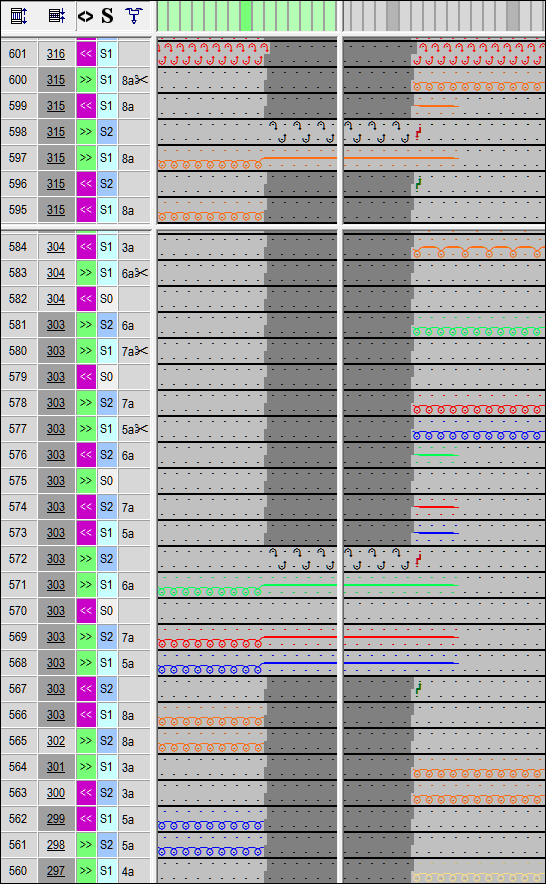
- The yarn carriers that knit the left side of the V-neck in the pattern will be floated after the second row of the protection rows consecutively over the V-neck. At the left edge of the right side of the V-neck the threads are locked by transferring a stitch and then knitted-out.
- The yarn carrier that processes the protection rows of the left V-neck will be knitted out using the same method, but it will be knitted-out only after the protection rows.
Technical view: