|
Usage of the module:
|
- Finalizes net jacquards by entering on both of the following single jersey rows the net end.
Net stitches at the rear in the first row and Stitches with transfer in the front in the second row are replaced by Stitches without transfer.
The net stitches are transferred automatically (auto transferring) to the stitches in front. - Matching modules are used automatically from the allocated module group.
The module group has to match the knitting mode! - Net stitches transferred to the front no longer shine through at the end of the Jacquard.
- Modules for standard and 1x1 technique are available
|
|
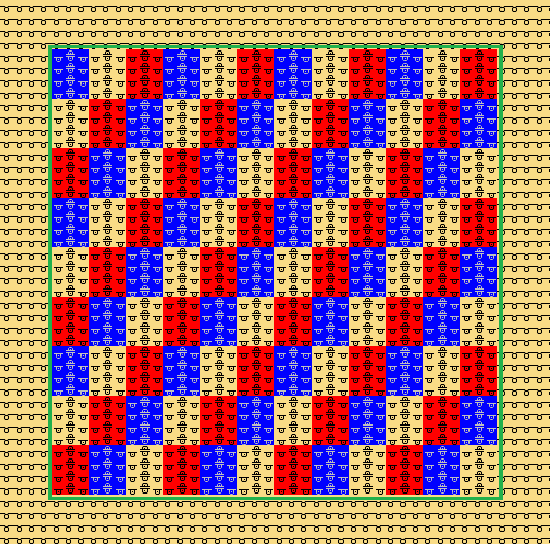
Defined Jacquard Area within the Pattern
|
|
How to enter the net-end into the pattern:
- Select the desired Jacquard area.
- Open the Border Processing Jacquard / Net-end dialog box.
/ 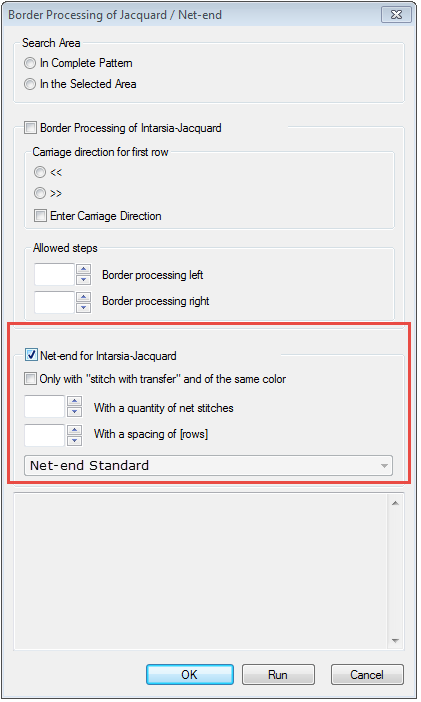 - Activate
 . . - Activate only if the following conditions are met:
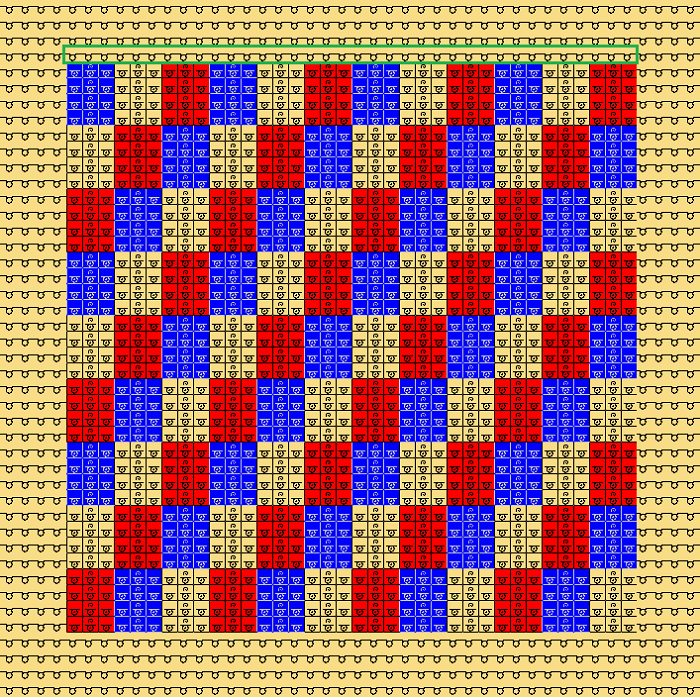
- First SJ row following the Jacquard must contain one color only.
(see example below) - First SJ row following the Jacquard must be filled with Stitch with transfer needle action.
- Net-end will not be placed if one of these conditions is not met.
 specifies the quantity of net stitches at rear side of the Jacquard, starting from which the net-end is placed above the Jacquard area. specifies the quantity of net stitches at rear side of the Jacquard, starting from which the net-end is placed above the Jacquard area.
Net-end will not be placed with less stitches at the ending row of the Jacquard.- refers to SJ rows interrupting the Jacquard.
- The net-end will be placed if the actual quantity of rows is equal to or greater than the value set.
- Net-end will not be placed if the actual quantity of rows is less.
Stitch with transfer is automatically replaced by Stitch without transfer within the spacing in order to prevent the net stitches from auto transferring to the front.
The net back is knitted in the following Jacquard area again. - Recommendation: Prevent the net-end for some few spacing rows only.
- Place the net-end to the pattern by Apply.
|
|
Example of spacings with three and four rows:
- Before
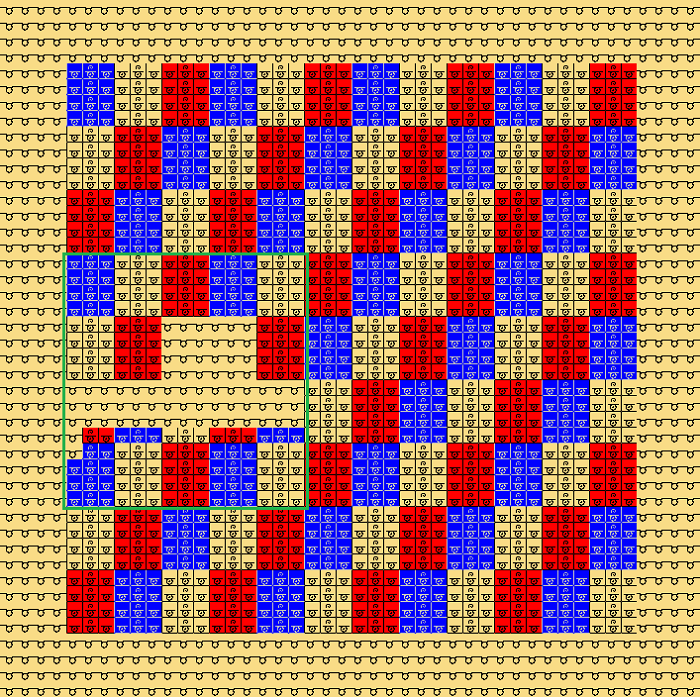 - Setting
- Afterwards
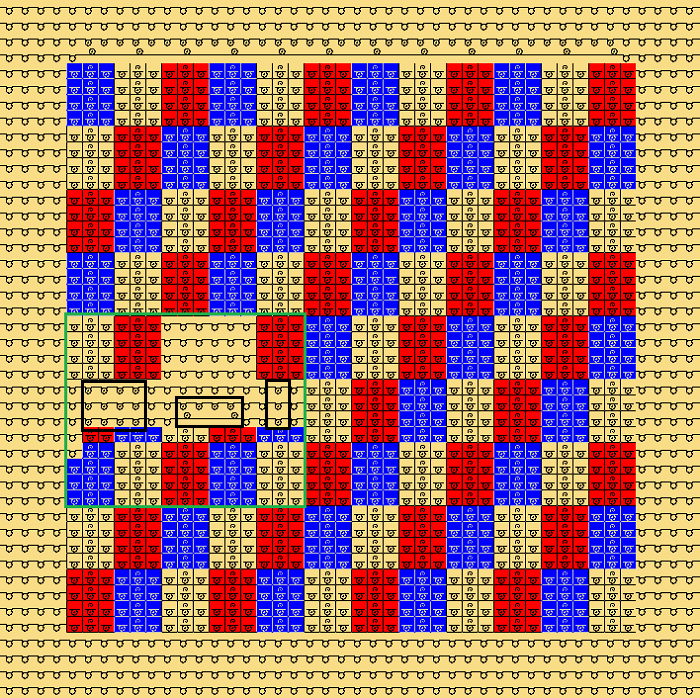 - The net is ended with an interruption by 4 rows.
- Stitch with transfer is automatically replaced by Stitch without transfer within the spacing of only 3 rows.
|
|
Module Groups:
 Technique Technique
- Intarsia Net end
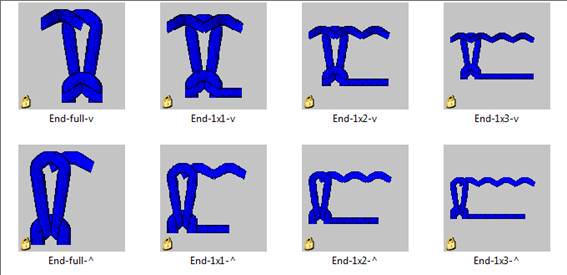
- Net end Standard
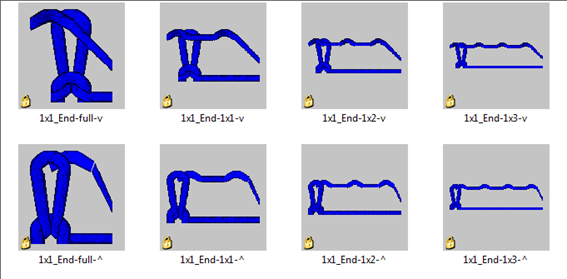
- Net end 1x1 Technique
|
|
Net end Standard modules
|
|
Net end 1x1 Technique modules
|
|
Running properties:
|
|
|
Fabric properties:
|
|
|
Knitting Mode
|
Single Jersey
|
|
Pattern
|
|