New Shape Symbols
Shape elements are displayed by the following shape symbols:
|
|
The area on the right of the symbol will be moved to the left. |
|
|
The area on the left of the symbol will be moved to the right. |


|
|
Draw-in the marking at the left border. |
|
|
Draw-in the marking at the right border. Narrowing or binding-off to the right. |


New shape symbol
|
|
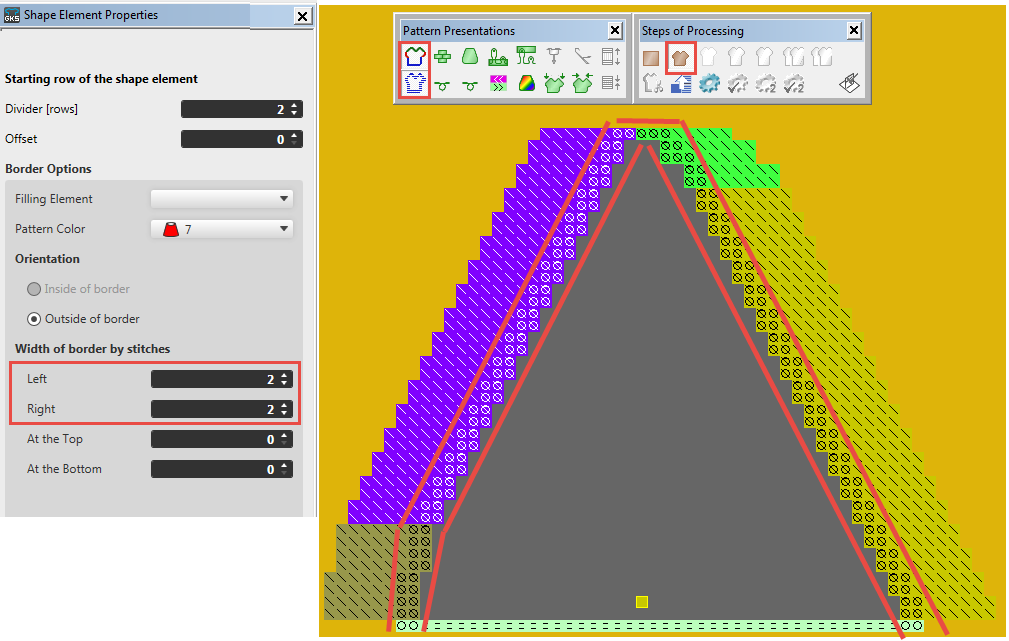
Draw-in with border options at the shape edge. |

Example

Shape elements with border options on the right and on the left side.