Steps of Processing


The following icons are contained in the toolbar:
|
|
Function |
Meaning | |
|---|---|---|---|
|
Pattern states | |||
|
|
|
Load basic pattern | |
|
|
|
Load shaped pattern | |
|
|
|
Load Expanded Pattern | |
|
|
Load Expanded Shaped Pattern | ||
|
|
|
Load Processed Pattern | |
|
|
Load shaped pattern after processing | ||
|
|
|
Load Re-processed Pattern | |
|
|
Load shaped pattern after re-processing | ||
|
|
|
Load the pattern after the processing for two pieces | |
|
|
Load the shaped pattern after the processing for two pieces | ||
|
|
|
Load the pattern after the re-processing for two pieces | |
|
|
Load the shaped pattern after the re-processing for two pieces | ||
|
Steps of Processing | |||
|
|
|
Cut out the laid on shape | |
|
|
|
Expand pattern Expand Color Arrangements, Module Arrangements and Modules | |
|
|
|
|
Expand the entire pattern for progressive edition. |
|
|
|
Expand the visible area of the pattern for control. | |
|
|
|
Expand the selected rows for control. | |
|
|
|
Expand the entire pattern for control. | |
|
|
|
Start technical processing | |
|
|
|
Start re-processing | |
|
|
|
Start processing for pattern with comb-start in two pieces next to each other | |
|
|
|
Start re-processing for pattern with comb-start in two pieces next to each other | |
|
|
|
Test knitting program. | |


With the active symbols you can also start several programs at once.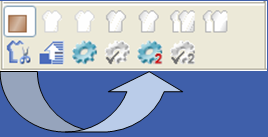
Additional Information
- Load basic pattern
- Load shaped pattern
- Load Expanded Pattern
- Load processed pattern
- Load Re-processed Pattern
- Load pattern for two pieces
- Load re-processed pattern for two pieces
- Cut-out shape
- Expand pattern
- Start Technical Processing
- Start re-processing
- Start processing for 2 pieces
- Start Re-processing for 2 pieces