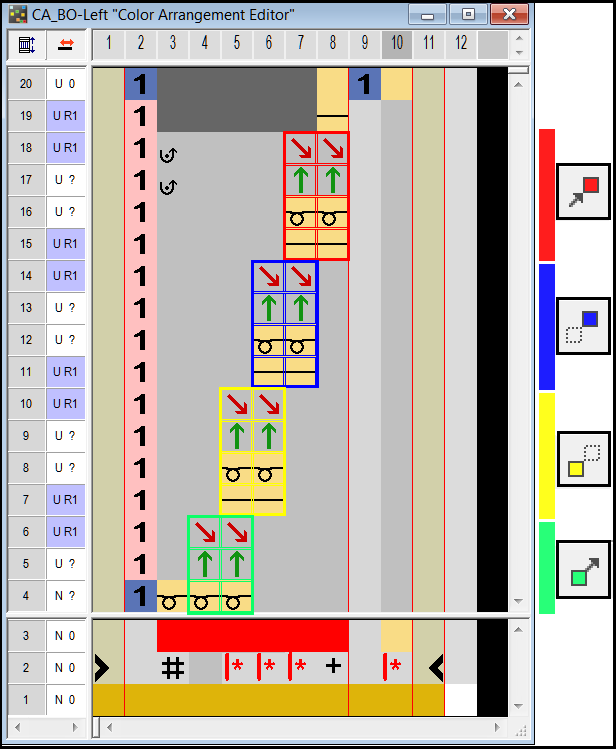
Allocate repetition area
With the symbols  ,
,  ,
,  and
and  of the Color Arrangement toolbar you define four areas within the search areas of a color or the shape attribute binding off
  .
.
With the symbol  you delete existing areas completely ore partly.
|
|
Function |
Target |
|---|---|---|
|
|
Allocating the selection as starting area |
Use a marked selection area within a search area of a color as starting area |
|
|
Allocation of the selection as first repeating area |
Use a marked selection area within a search area of a color as first repeating area |
|
|
Allocation of the selection as second repeating area. |
Use a marked selection area within a search area of a color as second repeating area |
|
|
Allocation of the selection as end area |
Use a marked selection area within a search area of a color as ending area |
|
|
Deleting the selection |
Delete the marked selection area completely or partly |
Example: Binding off from the left to the right with fixing stitch outside shape