Color Sequence and Stitch Length
In this section the related front and back stitch length is displayed for each yarn color in a separate stitch length field.
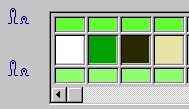
If a Jacquard module with relief is selected, then an R will be displayed within the color which forms the relief (the last color of the table).
The color sequence and stitch lengths of the yarn colors can be changed and colors can be added or exchanged.
If several Jacquards are selected, then the following must be observed:
- The yarn colors are only visible when they are identical for all jacquards including the order.
- No color can be added.
- Individual stitch lengths are only displayed when these match in the stitch length field per needle bed and position for all marked jacquards; otherwise the position is undefined (black).
- If the stitch length is partially set to and partially to , then is offered. The
 checkbox is deactivated in this case. In order to apply changes of the stitch length you have to re-activate this checkbox.
In this section the following settings are made:
|
Element |
Meaning | |
|---|---|---|
|
|
Change color sequence in the pattern. | |
|
|
Replace colors in the jacquard or add a color. | |
|
|
Enter the colors for the stitch lengths into the pattern | |
|
|
|
The stitch length allocated in the jacquard generator or in the jacquard module is shown in the stitch length field. |
|
|
Others than the stitch length allocated in the jacquard generator or in the jacquard module are shown in the stitch length field. | |


|
Behavior when expanding | |
|---|---|
|
|
Specified stitch length will be entered into the expanded pattern. |
|
|
This row will keep the stitch length of the CA. |
|
|
Stitch length will be allocated to the needle positions (NPJ). |
 : Stitch lengths deriving from a CA will be overwritten!