Doubling section
The section appears for the body and if present for the sleeves, if a start for the pattern is already selected, in the following dialog boxes:
- New Pattern
- Replace Starts
- Insert/replace k&w start
In this section the following settings are made:
|
Element |
Meaning |
|---|---|
|
|
Activate Doubling. |
|
Display |
Starting width of the pattern as set in the input field for the width. |
|
Input field |
Enter the desired waist width |
|
List field |
Select sub-groups of the (k&w) Technique / Narrowing multistage |

 : The waist width must be greater than the starting width of the pattern.
Generate newly a basic pattern with Doubling:
- 1
- Call-up / menu.
- The New Pattern dialog box appears.
- 2
- Select basic pattern
 and .
and .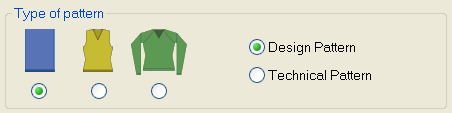
- 3
- Select .
- 4
- Enter .
The value for the has to be higher than the . - 5
- Close the New Pattern dialog box with Generate Design Pattern.
- The dialog box is closed. A basic pattern with placed shape appears.
- 6
- Run the
 function.
- The shape will be cut-out and the waistband widened.
For the right side one or more stitches less are automatically set out of shape than for the left side. With a right sleeve (left sleeve mirrored) one or more stitches less are automatically set for the left side.