Module Arrangement Editor
This editor is used to generate and modify Module Arrangements.
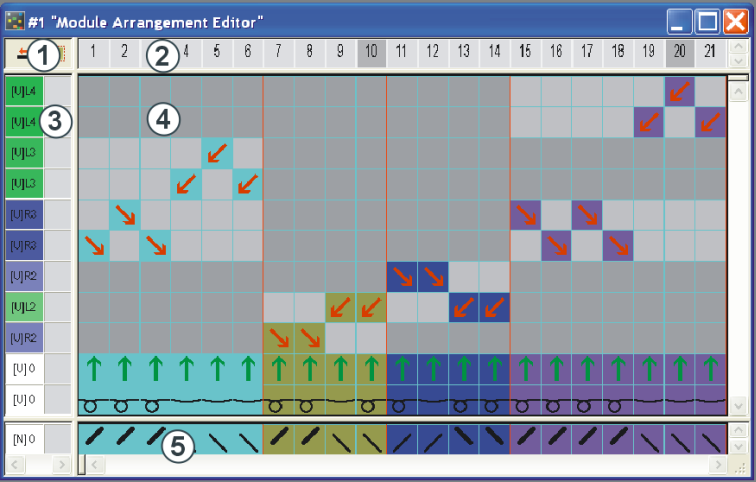
|
1 |
Control columns |
4 |
Processing Area |
|
2 |
Column bar |
5 |
Search Area |
|
3 |
Row bar |
|
|
Call-up the Module Arrangement Editor:
- Create a selection in the symbol view of the pattern and call-up the function in the menu
- Run the function in the menu of the M1plus main program.
- Run the Edit function in the context menu of a selected Module Arrangement in the module explorer.
- Double-click on the selected Module Arrangement in the module bar of the M1plus main program.
- Double-click on the selected Module Arrangement in the module explorer.
The  symbol of the Drawing Tools toolbar is used to edit the Module Arrangement.
You can drag & drop modules into a new and empty Module Arrangement in order to control the transfer processes of these modules.
- Further tools are also available in the Module Arrangement Editor.
- The knitting rows can also be moved in the MA.
- You can draw-in any desired needle actions in the MA.
The buttons in the prompt Apply Modifications?:
|
Button |
Function |
|---|---|
|
Yes |
Save the Module Arrangement. |
|
No |
Close MA editor without saving. |
|
Cancel |
Leave the MA editor open. |
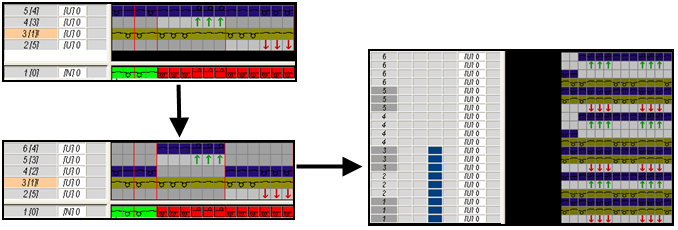
With a Module Arrangement you can also adjust knitting rows.
Example: