Use of transparent areas in module (examples)
When replacing modules, only complete modules are replaced. This means that the needle actions in the pattern must exactly match those in the module. This is not the case in the following example:
|
Module for drawing in the pattern |
Result in the pattern |
|---|---|
|
There are 2 ways for a module to result where transferring (receiving) is cut off. |
The receiving is automatically restored when drawing in the pattern. |
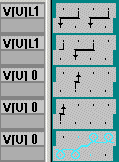
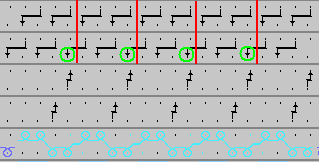
So that all modules in the pattern can be replaced in this example, the module used for drawing must have a transparent area at the position an which receiving is entered in the pattern.
This case only applies if the module has been drawn several times next to each other.
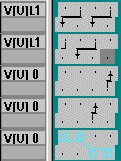
Transparent areas are also used for modules with limit conditions. Please read Container Modules Technique: Intarsia Border Processing - Feeding.