Echo of the Drawing Tools
The echo of the drawing tool is the display of the selected needle action, module or pattern element when drawing.
The following applies to the display of the echo of drawing tools:
- Selected attributes will be displayed in the echo if these attributes are visible within the view. The echo corresponds to the result of the drawing action within the pattern.
- All selected attributes will be inserted into the pattern even if they are not visible within the view.
- The selected attributes are displayed on the cursor.

- With shape attributes a symboled shape shows that one or several shape attributes are selected.
- The previously selected attributes will be deselected with a newly selected attribute.
Exceptions: - You press the Shift key in addition.
- You can add a color to a needle action, module or pattern element without the Shift key as well.
- Shape attributes exclude needle actions, pattern color, module or pattern element.
The displayed area will be overwritten with the drawing tool. Depending on the view, the modules will be displayed as picture of the module, as filled frame or as frame with symbols.
The module echo of a module is shown in the views if a module is selected in the Module toolbar or the Module Explorer by clicking on it.
The echo covers as many pattern rows in the pattern as there are pattern rows in the module. Pattern rows are always marked in the pattern, which may cause the height of the marking to change when the mouse pointer is moved. The reason for this is the different number of technical rows within the pattern rows. An exception is the module echo for the function. Here the module echo always has exactly as many technical rows as there are technical rows in the module. This module echo is yellow.
In the fabric view the picture of the module is visible as a module echo. In addition, the module border also appears as a frame. This is used for exact positioning of the module in the pattern. For this purpose the function should be switched on in the menu. This way, the module limits of the inserted modules are displayed.
If a limit module is positioned in a module with limit condition(s) in the Module editor, then the color of the module echo changes to green in this line.
Modules that only consist of limit conditions have their own module echo in the Technical view. 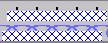 .
.
If a pattern row consists of several technical rows, then this module echo only appears in the first technical row. No module echo is visible in the Fabric view for these modules.
A copied area is displayed in the shape view as a module echo.
You can switch of the selected needle action, module or pattern element and with it the echo with the Esc key.