Regulation of the width with cycles
To create different making-up sizes, you determine adjustable parts as connection, repetition and center parts.
|
Possible sequence of the parts |
|
|---|---|
|
Only repetition parts |
|
|
Connection piece Repetition part center part Repetition part Connection piece |
|
|
Connection piece Repetition part different center parts Repetition part Connection piece |
|
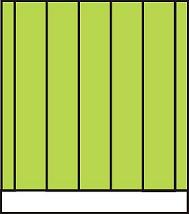
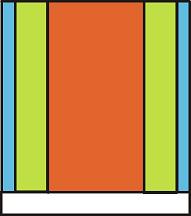
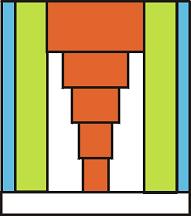
|
Color Presentation |
Function |
Possibilities for use |
|---|---|---|
|
|
Connection piece |
Define one connection piece each for the left and right edge. By defining the / specifications it can be determined for which size the connection pieces are used. |
|
|
Repetition part |
One repetition part each is defined for the left and right-hand side for the width adaptation. The repetition factor is defined with the specification. |
|
|
Center part |
One center part is defined per size for the motif center. Which center part is used for which size is determined with the / specifications. and have the same value. As an alternative, the center part can be varied with the . |


Define cycles for width control:
If there are used cycles for the width regulation for machines with comb start, select the option Sintral in the dialog box with the setting.
- 1
- Select columns in the technical view.
- 2
- Open the dialog box with the /Cycle... menu.
- 3
- Select from the list field.
- 4
- If Repeatable piece is selected in the list field, enter the repetition factor in the Default input field.
- 5
- Enter and .
- 6
- Click the Apply button.
- 7
- Open the Cycles dialog box with Display cycles.
- The defined cycles are displayed in the table.
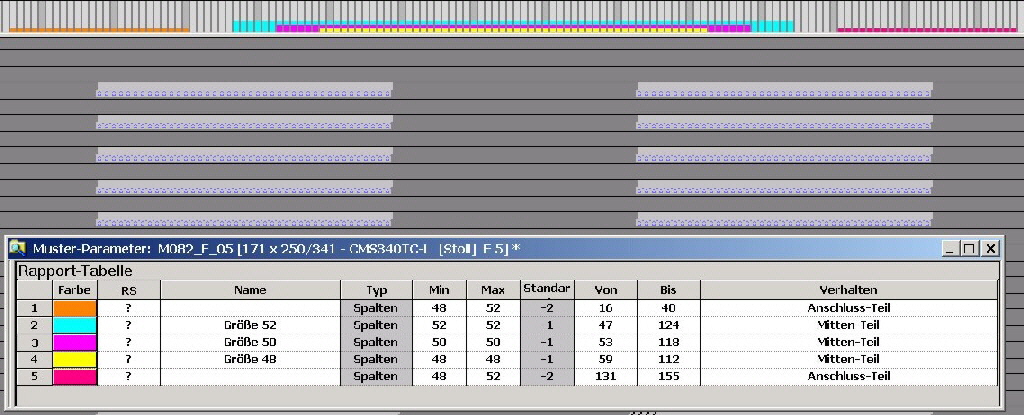
To set the width control of the center part on the machine, activate the size correction switch in the tab in the dialog box. The size correction switch and the three auxiliary counters can be selected freely.
The value of the size correction switch controls the width of the center part.
The area between the connection piece and the center piece is used for size control.
The used size correction switch is set to zero as a default, when loading a knitting program into the machine.
The maximum value of the size correction switch can only be so large that the area between the connection and the center part is completely filled.
If the width of the center part is to be reduced, negative values can also be entered in the size correction switch.