Knots at the Shape Edge with a French Shoulder
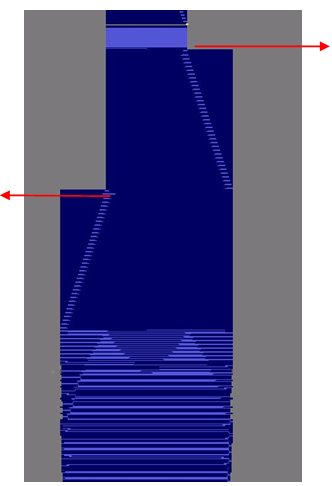
The situation with a shape with neck gore:
Up to now the knot after binding-off the French shoulder was part of the end module of the binding-off the shoulder.
The solution:
- The knots are eliminated from the left and right end module in order to enable you to select a knot for this position within the Yarn Field Allocation dialog box.
- Two floats are inserted at the very end of the end module in order to position the selected knots after the last transfer of binding-off the shoulder.
These floats determine the correct positions of the knots.
The following modules are modified:
- French shoulder above
- French shoulder underneath
- French Shoulder 2x2 Rib 6 stitches
The examples:
Left shoulder:
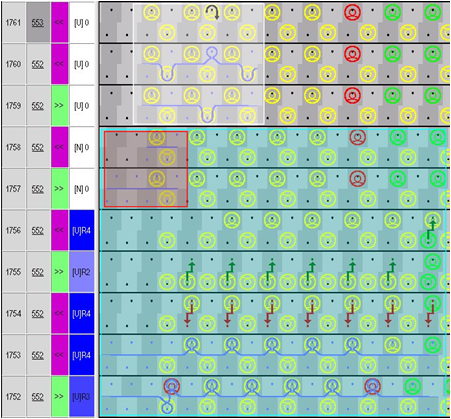
- Blue area: Border of the end module for binding-off the shoulder
- Red area: Inserted floats
- White area: New Knot
- Rear Tuck
Right shoulder:
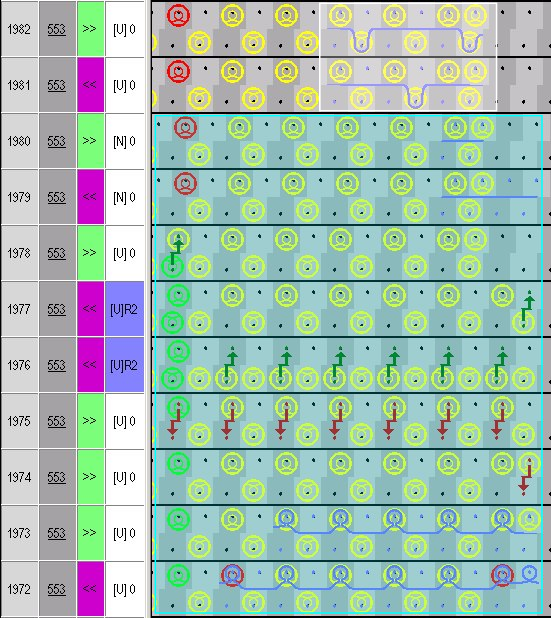
No tuck is needed in the right shoulder.
The mirroring module enables automatically the correct knot for both the shoulders.
The situation with a shape with V-neck:
With a shape with V-neck the right shoulder will be bound-off at first then the left shoulder with a different yarn carrier and at last the neck.
For this only one knot is necessary after binding-off the right shoulder.
This knot can not be placed on L0 due to the empty needles within the V-cutout.
The solution:
A special knot module was generated:
- Knot will be knit on L1
- Two empty rows in the end module in order not to have the knot positioned partly outside the shape.
The following modules are modified:
- French shoulder above V-neck
- French shoulder underneath V-neck
- French Shoulder 2x2 Rib 6 stitches V Neck
The example:
End module for binding-off the French shoulder above V-neck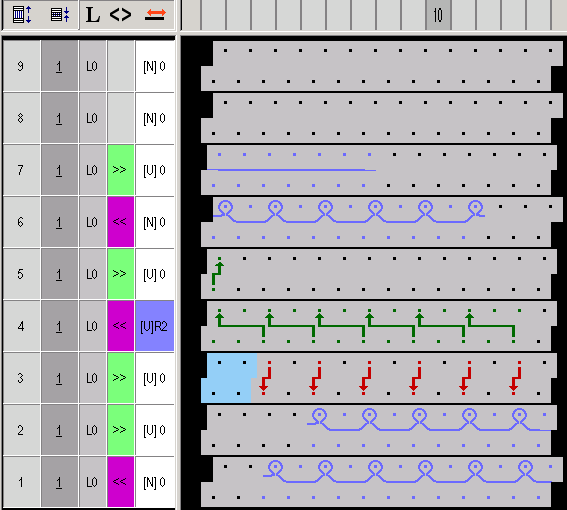
Example for the inserted knot:
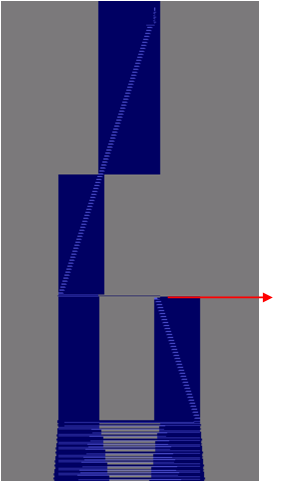
Right shoulder
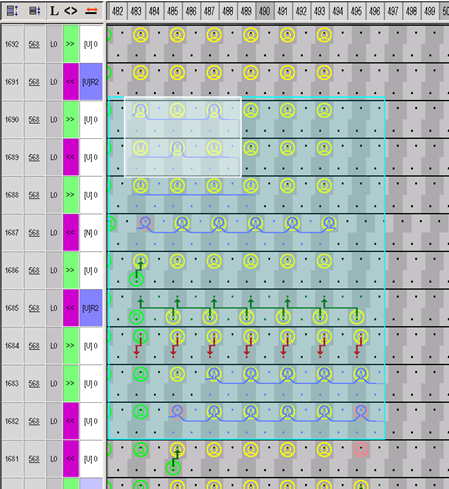
- Blue area: Border of the end module for binding-off the shoulder
- White area: New Knot
The knots Knots 1 border, Knots French Shoulder and Knots French Shoulder V-neck are found in the Module Explorer under Modules / k&w-Technique / Knit-in and out / Binding with knot.
You can allocate these knots in the Yarn Field Allocation dialog box accordingly to the corresponding yarn carriers in the or area.