Step 1: Creating shape
- 1
- Open the Shape editor via /.
- 2
- Under select the corresponding k&w ... shape type.
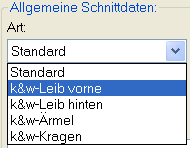
- 3
- Set to Stitches.
- 4
- Activate
 under .
 - 5
- Enter coordinates and allocate attributes
Front

- 1
- Under allocate the desired attribute to the Narrowing edge.
Shape element Neck gore in the front
- 2
- Create a new
 element and under select the Gore entry.
 - 3
- Specify the coordinates for the Neck gore via the .
- Option : the gore steps can be repeated via the factor.
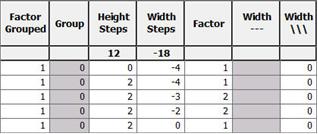
- 4
- Specify the neck gore distance until the .
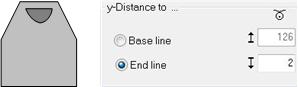
Back
- 1
- Under allocate the desired attribute to the Narrowing edge.
Sleeve

- 1
- Allocate the desired attributes and Narrowing to the edges under Function.
Collar

- 1
- Allocate the Binding-off tab to the end line under .
- 2
- Select the Neck or the Fast cut-out binding-off module.
To the next step 2: Loading and adjusting shapes in the ShapeWizard