Exchange k&w Arrangement
For various k&w arrangements there are alternative sequences available.
These sequences can be selected via the dialog box and exchanged which each other.
Before exchanging the k&w arrangements, they need to be determined once.
Localize and select k&w arrangement
- 1
- Move the cursor over the shape view and stop in the desired area.

- The corresponding k&w arrangement is displayed in the docking points window.
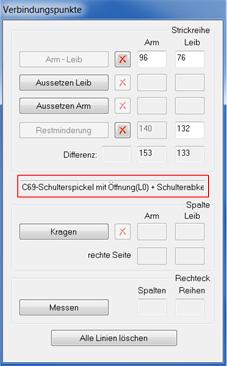
- 2
- Select the localized sequence in the list of the ShapeWizard.
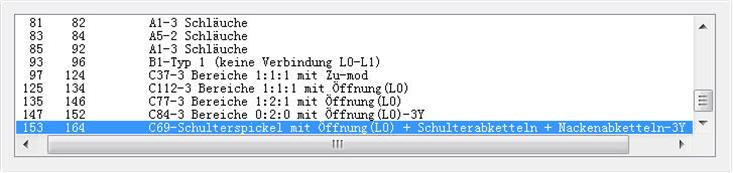
Exchange k&w arrangement and save
- 1
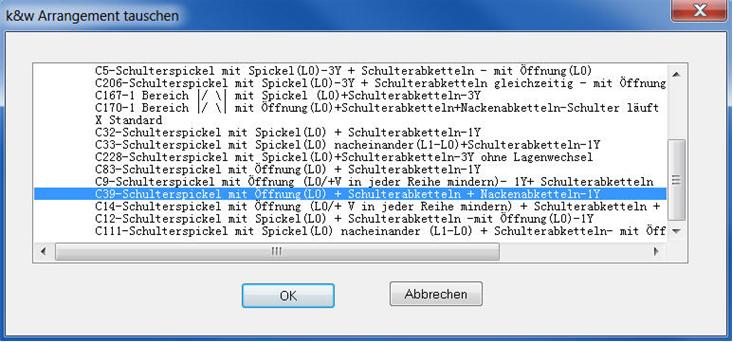
- Double-click on the selected k&w arrangement with the left mouse button.
- The dialog box opens up.
- 2
- Select an alternative k&w arrangement within the list.
- 3
- Accept with the OK key.
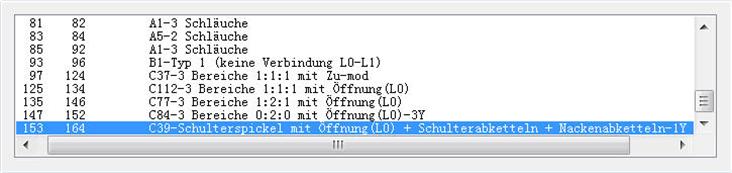
- The alternative k&w arrangement replaces the standard k&w arrangement.
- 4
- Afterwards activate again Determine k&w arrangements.
- The shape is inspected with the new sequence.
- 5
- After determining save the kaw file via the / menu or using .
- 6
- Close the Shapewizard dialog box.