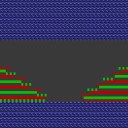
Multi-step narrowing / Doubling
Multi-step narrowing / Use Doubling:
- 1
- Open the Shape Editor.
- 2
- Under Function open the Narrowing tab.
- 3
- Activate
 check box and select the desired narrowing type.
|
Label |
Use |
Presentation |
Function |
|---|---|---|---|
|
Fair Isle + Doubling k&w |
With doubling after the start |
|
Each stitch will be is transferred only once. Large rackings are necessary. |
|
Fair Isle + Doubling k&w II |
|
Stitches will be transferred several times. Small rackings are necessary. | |
|
Fair Isle sleeve |
For patterns with Fair Isle technique starting below the sleeve body connection |
|
|