Holding-deep by tuck function
Holding-deep the Fabric by Covering via Tuck Function
- Problem case:
- Raising needles draw the fabric in spite of the holding down jacks upward.
As a result the already formed loops did not get behind the needle latch. - Solution by the holding-deep by tuck function:
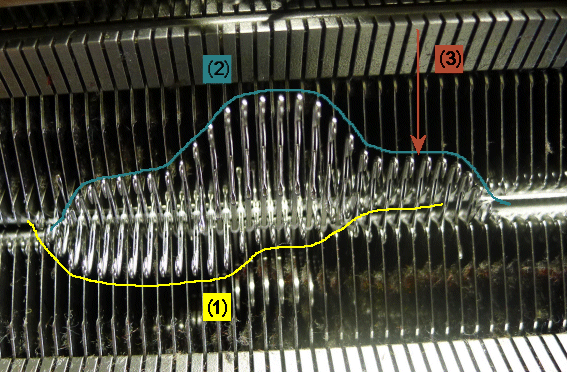
- Needles of the opposite needle bed will be risen in advance to the knitting needles forming in the gaps between the knitting needles a kind of comb.
- Advantages:
- The standard knitting system can be converted with little effort by exchanging few parts.
- The converted knitting system can form stitches and can deliver and receive transfers without restrictions.
- All functions can be performed independently of the carriage direction.
- Disadvantage:
- This system cannot perform tuck.
Parts for Cam Conversion:
|
System Distance | 6 inch cam box | 5 inch cam box | ||||
Gauge [E] | 2,5.2 / 3,5.2 5 / 5.2 | 2,5.2 w.4L 3,5.2 w.4L | 7 / 8 | 10 / 7.2 6.2(12w.10) | 12 | 14 |
Retrofit kit "Holding-deep the fabric by tuck function" | 269679 | 269680 | 269681 | 269682 | 269683 | 269684 |
Application examples:
- In case of tuck with float without holding-deep cam the whole yarn can be pushed upward during needle raising. With the following stitch formation the yarn lies as float in the fabric.
If the holding-deep cam is used on the opposite side of the tuck with float, holding-deep maintains the float under the raising needles and in the neighbor needle, the tuck can not be pushed upward by the needle raising.
|
|
(3) Rear tuck float ---------------------------------------------------
(1) Front tuck float |
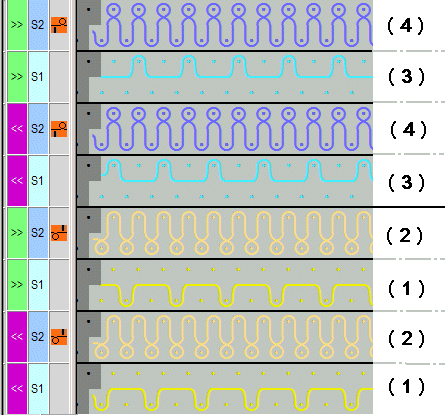


- Newly laid in weft yarns will not be held below the needle crossing as they are not yet enclosed by fabric (crossing point of the supporting surface of opposite needles).
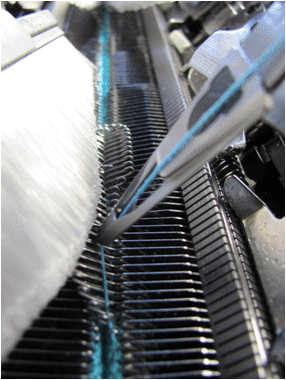
Raising holding-deep needles allows to "lock" the weft yarn in the needle bed gap until the following stitch row is knitted. - Problem at color borders of intarsia: The thread leading from the yarn carrier to the color field lies too high to get caught by the first needle of the color field.
This relating thread is precisely held-deep by a holding-deep needle in order to be caught by the needle hook
|
System function | |
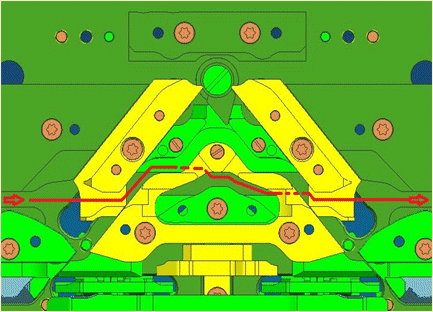
Needle curve "Holding-deep the fabric by tuck function": | Parts to exchange for conversion to holding-deep cam: |
|
|
Example for needle raising: | |
| Example: Knitting process: << S:R-F; S1
|
|
|
Programming with M1plus:
- Cam box is converted for "holding-deep by tuck function" at the machine
- 1
- Define the as cam conversion for each system of the CMS under System Functions.
- 2
- Define knitting with holding-deep by Tuck needle action
e.g. Front stitch - Rear tuck, meaning: Stitch in front and holding-deep at rear - With it, knitting with tuck is no longer allowed.
The system function is disabled.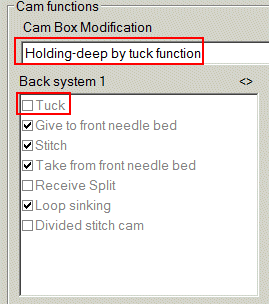
- 3
- Set one of these 3 entries in the System Functions control column for holding-deep.
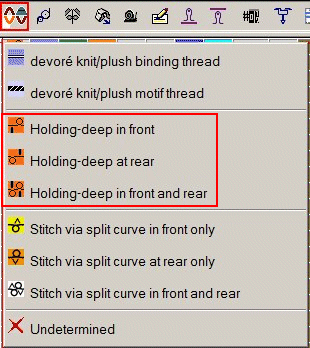
The Sintral command for knitting with holding-deep:
-
S:A-#G; Y:3; S2
Stitch in front (A) and tuck at rear (G) = holding-deep -
S:#G-A; Y:3; S2
Stitch at rear (A) and tuck in front (G) = holding-deep
The # stands for the holding-deep by tuck function:
- 1
- The technical processing and the determination of the needle occupancy take into account these settings automatically.
- The Sintral is generated accordingly.