Create a pattern without shape and open the shape
I. Generate pattern without shape:
Create the pattern without start.
- 1
- Select / from the menu bar.
- or -
Click the icon.
icon. - 2
- Enter a Pattern name.
- 3
- Select machine type, setup type and gauge.
- 4
- Select Basic pattern (pattern without shape) and .
- 5
- Set pattern size and select the Front stitch with transfer basic knitting mode.
- 6
- Select no start.
- 7
- Confirm the settings with Generate Design Pattern.
- The Symbol view [Basic] will be opened.
II. Open the shape and position it in the pattern:
- 1
- Load shape via / .
- The Open dialog box will be displayed.
- 2
- Specify path and select the desired shape (shp).
- 3
- Click the Open button.
- The shape in (shp) format will be laid on the pattern.
- 4
- Activate the
 icon to move the shape.
 - 5
- Position the shape.
III. Adjust the basic motif:
Additional yarn colors are necessary in order to generate the Color Arrangements.
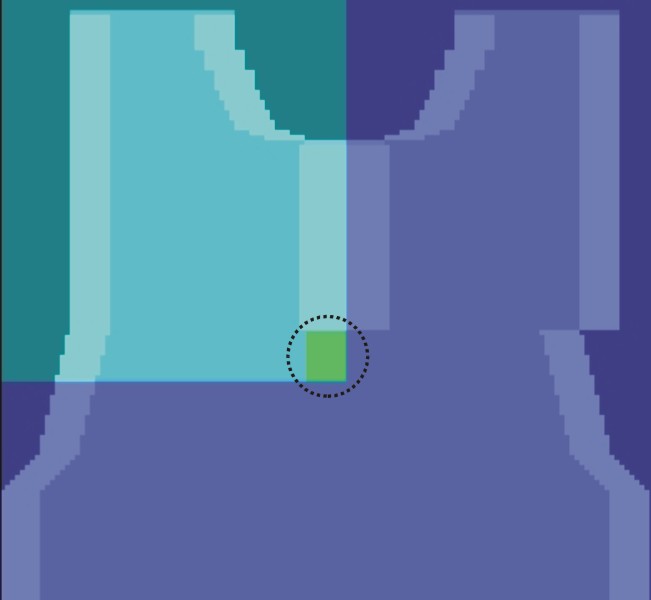
- The shape is placed on the pattern.
- 1
- Draw in an yarn color below the border (fading-out of the neck opening):
- with the width of the modules for the tubular trimming
Example: 8 stitches - with any desired but even-numbered height
Example: 10 stitches
- 2
- Use another yarn color in the left shoulder area from the tubular trimming start on.
- The yarn fields can be influenced manually by the CA.