Create Pattern
I. Generate the pattern:
- 1
- Generate new pattern without start.
- 2
- Draw the motif with a pattern element from the Module Explorer of Database:
Stoll / Pattern Elements / PE-Jacquard / Jacq-PE-40.
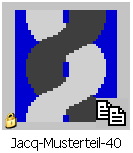
II. Insert the Jacquard module:
- 1
- Open the dialog box via the / Generate or Edit Jacquard... menu.
- 2
- Select the motif starting in the center of the pattern to the left via the column bar.
- 3
- In the Jacquards dialog box, under Jacquard / Own / noname X / X colored select the Jacquard module 1 and click Apply.
- 4
- Select the motif to the right via the column bar.
- 5
- In the Jacquards dialog box, under Jacquard / Own / noname X / X colored select the Jacquard module 2 and click Apply.
- 6
- Adjust the color sequence of both the inserted Jacquard modules if necessary in the Jacquards dialog box under .
- 7
- Confirm entries with the OK button.
- The Jacquards dialog box is closed.
- 8
- Call up the Replace Starts dialog box via the Edit / Replace Starts... menu.
- 9
- Select the desired start in the dialog box.
- 10
- Confirm entries with the OK button.
- The Replace Starts dialog box closes.