Create the pattern and load the shape
I. Generate pattern without shape
- 1
- Select / from the menu bar.
- or -
Click on the symbol.
 - 2
- Enter a pattern name.
- 3
- Select the machine type, setup type and gauge.
- 4
- Select Basic pattern (pattern without shape) and .
- 5
- Set pattern size and select the Front stitch basic knitting mode.
- 6
- Select a start.
- 7
- Confirm the settings with Generate Design Pattern.
- The Symbol view [Basic] will be opened.
II. Open the shape and position it in the pattern:
- 1
- Load shape via / .
- The Open dialog box will be displayed.
- 2
- Specify path and select the desired shape in the shp format.
- 3
- Click the Open button.
- The shape will be laid on the pattern in the shp format.
III. Draw in corrections:
Additional colors are necessary in order to use Color Arrangements.
- 1
- Draw in a separate color in the left shoulder element up to the pattern center.
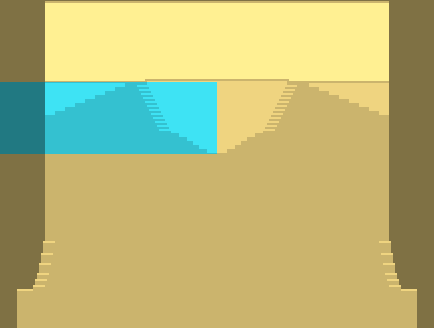
- 2
- Draw in a separate color for residual yarn above both the shoulder elements
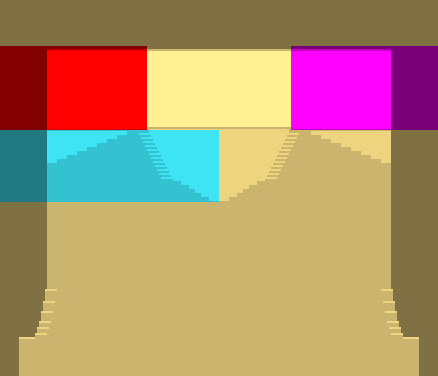
Detailed presentation of the additionally drawn-in colors: