Generate Color Arrangements
I. Generating Color Arrangement CA #1 and entering it:
- 1
- Select the first two pattern rows.
- 2
- Click the
 button.
- The Color Arrangement Editor will be opened.
- 3
- Modify the Color Arrangement:
- Insert an additional row for transferring after the start and draw-in the transfer.
- Change the following in the executing area:
- Insert additional rows for the pattern related transferring and draw-in Transfer to front or Transferring optionally to the front.
- Rows for the additional yarn carriers that knit the ornamental seam on the left and on the right.
- In the Cycles column define a cycle.
- Switch-off the intarsia binding in the
 control column.
 - In the
 control column switch on/off the swiveling of yarn carriers.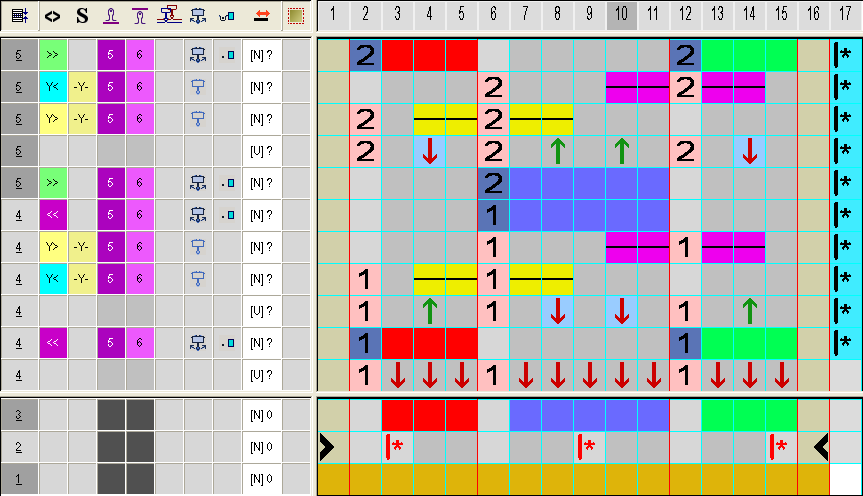
- 4
- Close the Color Arrangement Editor with
 .
. - 5
- Enter a Color Arrangement up to two rows below the transition.
II. Generating Color Arrangement CA #2 (transition) and entering it:
- 1
- Select the two pattern rows in the pattern with the additional yarn colors.

- 2
- Click the button.
- The Color Arrangement Editor will be opened.
- 3
- Modify the Color Arrangement:
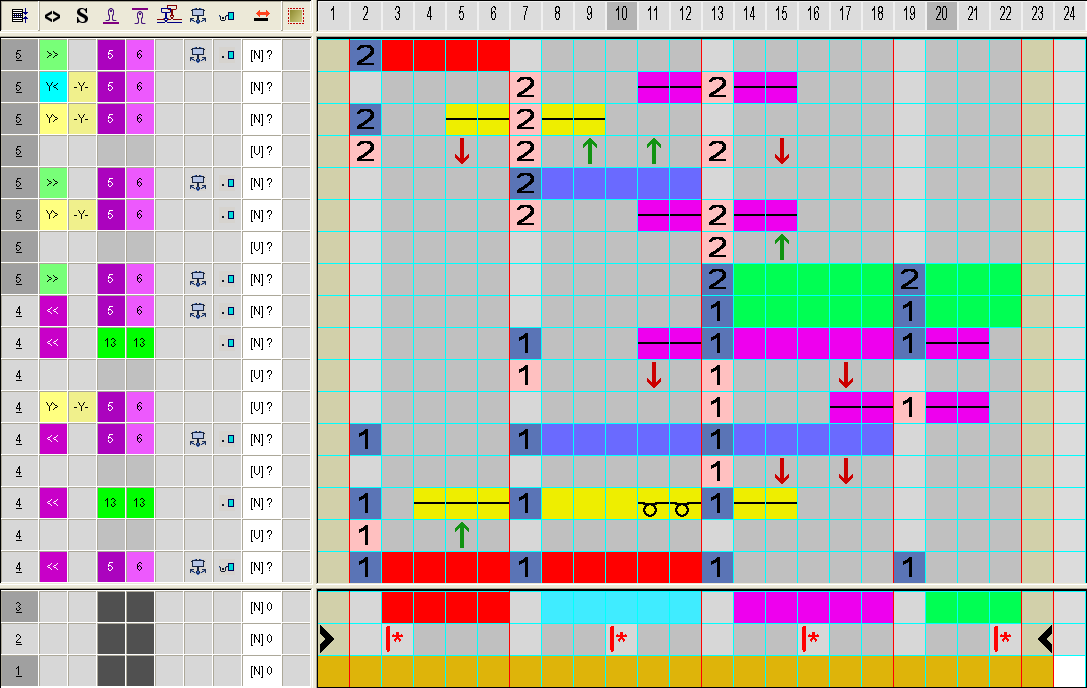
- Change the following in the executing area:
- Insert additional rows for the pattern related transferring and draw-in Transfer to front.
- Rows for the additional yarn carriers that knit the ornamental seam on the left and on the right.
- Switch on/off the intarsia binding in the control column.
- In the control column switch on the swiveling of yarn carriers.
- 4
- Close the Color Arrangement Editor with .
- The CA is saved and the color entry is entered in the
 control column.
III. Generating Color Arrangement CA #3 and entering it:

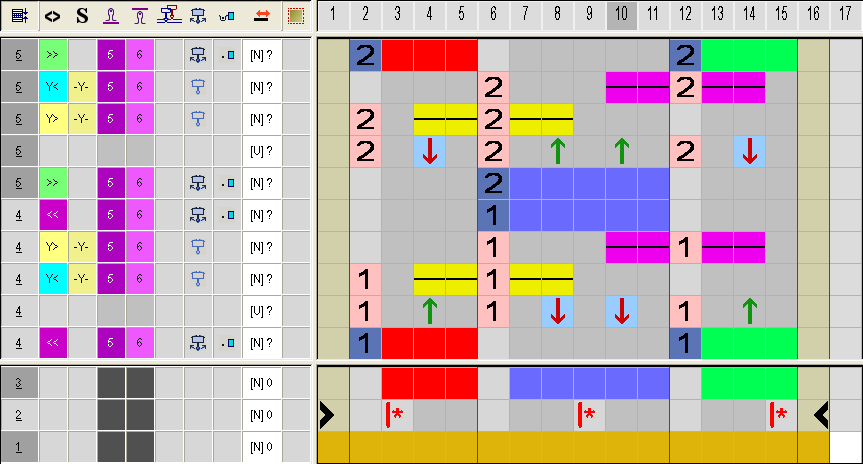
The Color Arrangement CA #3 corresponds to the CA #1 without the transfer row after the start. Therefore no cycle is necessary in CA #3.
- 1
- Select the following pattern rows until the pattern end.
- 2
- Click the button.
- The Color Arrangement Editor will be opened.
- 3
- Modify the Color Arrangement:
- Delete the first row with transfer completely.
- Change the following in the executing area:
- Insert additional rows for the pattern related transferring, Transfer to front and Transferring optionally to the front.
- Rows for the additional yarn carriers that knit the ornamental seam on the left and on the right.
- Switch-off the intarsia binding in the control column.
- In the control column switch on/off the swiveling of yarn carriers.
- 4
- Close the Color Arrangement Editor with .
- The CA is saved and the color entry is entered in the control column.