Generate Color Arrangements
Generating Color Arrangement #1 and entering it:
Two Color Arrangements are necessary since the diagonals change the direction.
- 1
- Select the first 2 pattern rows in the pattern.
- 2
- Click the
 button.
- The Color Arrangement Editor will be opened.
- 3
- Modify the Color Arrangement:
- 4
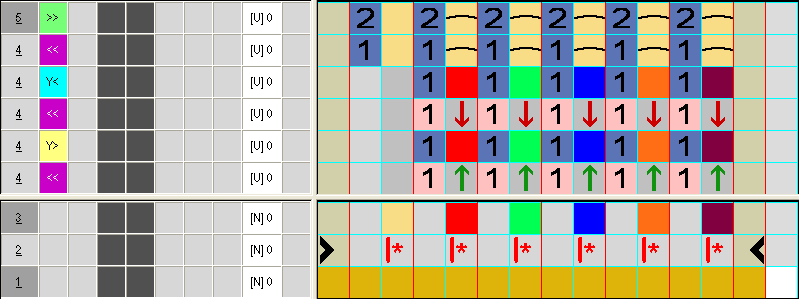
- Change the following in the executing area:
- Insert additional rows for transfer.
- Insert additional rows for shifting the ornamental stitch yarn carriers and draw-in the yarn color. In the
 control column the necessary carriage direction or Y< / Y> is to be entered for shifting.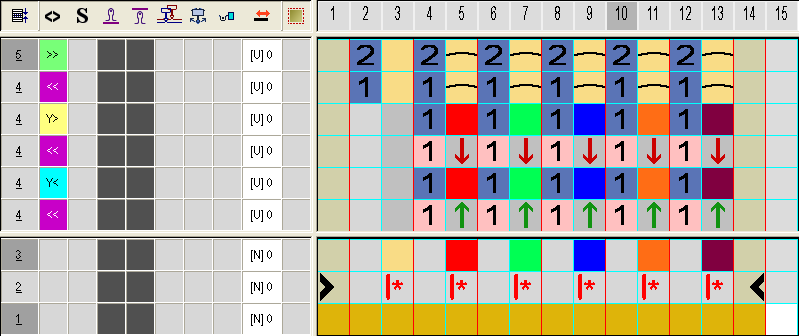

If in the pattern or in the CA is drawn-in only a Float needle action with the necessary carriage direction, then an autarkic direction Y< or Y> is automatically entered during the processing.
- 5
- Close the Color Arrangement Editor with
 .
.
- The CA is saved and the color entry is entered in the
 control column.
- 6
- Enter CA #1 in the height of the diagonal that run to the left.
- 7
- Following the same procedure generate a new CA (#2) for the diagonal running to the left and enter the color in the control column.
Color Arrangement CA #2: