Mirroring module
For creating a k&w pattern, you can use the mirroring modules and create your own.
I. Mirroring modules in the Module Explorer of Database:
The mirroring modules are stored in the Module Explorer of Database under Modules / knit and wear in the subgroups:
- Binding Elements
- Ribs
- Cable one side float
- Cable both side float
- Aran
- Petinet
- k&w_basic pattern
- Binding elements-TC-T
- Pointelle TC-T
- 730S Cable both side float
- 730S Cable single side float
- 730S Aran
II. Example for the application of mirroring modules:
Modules can be inserted mirrored:
- To the front knitting layer (L0)
- To the back knitting layer (L1)
|
Example of mirroring modules | ||
|---|---|---|
|
|
Jersey |
Reverse jersey |
|
Modules for L0 (front) |
|
|
|
Modules for L1 (back) |
|
|
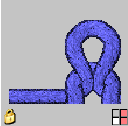
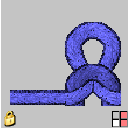
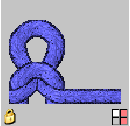
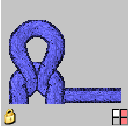
III. Switch the layer in the mirroring module:
The selected module is displayed in the Tool Properties toolbar.
It is possible to mirror to the desired layer by switching.
- 1
- Mirror the module for Layer 0 with the button
 at the bottom.
 - 2
- Mirror the module for Layer 1 with the button
 at the top.
IV. Switch the racking direction in the mirroring module:
With modules with racking (cable, petinet), the racking direction of the module can be switched.
|
|
|
|---|---|
|
Cable 2X2 < |
Cable 2X2 < |
|
Racking direction left |
Racking direction right |
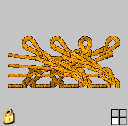
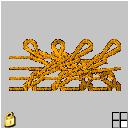
- Mirrored left / right
- 1
- Switch the racking to the left with the
 key.
key. - 2
- Switch the racking to the right with the
 key.
key.
Mirroring modules are automatically set to the correct stitch row (layer) and column (k&w column).