Modify the Stoll k&w Arrangement
Generate a k&w Arrangement of your own:
- 1
- Call up the / menu.
- 2
- Open the k&w Arrangements / Stoll / 3 Tubulars / without opening / without gore module group.
- 3
- Copy the A1-3 tubulars k&w Arrangement.
- Call up the Properties of: … appears.
- 4
- Name the module under .
Example: My 3-tubulars-optimized
- 5
- Define a color under .
- 6
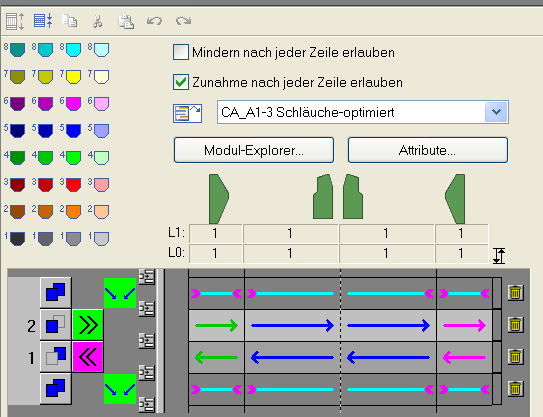
- Modify the k&w Arrangement:
- No row will be displayed expanded with the
 step of processing due to the change from Intarsia knitting cycle to Knitting in One System.
This simplifies drawing in the pocket.
Name: My 3-tubulars-optimized
- 7
- Call up the k&w Arrangement Attributes dialog box and activate .
- k&w Arrangement will be used by the Shapewizard.
- 8
- Close the dialog box.
- The k&w Arrangement is saved.
- 9
- Save the modified k&w Arrangement in the k&w Arrangements / Stoll / 3 Tubulars / without opening / without gore module group of the Module Explorer of Database.
- The k&w Arrangement generated by you will be prefered by the Shapewizard as it is saved in the Own module group.