Pattern Rows in the Module
When multiple technical rows build a pattern row, then you have group them.
This means:
- Knitting and transferring rows will be grouped to one pattern row.
- Several knitting rows, forming one pattern row, will be grouped.
I. Group pattern rows:
- 1
- Select the technical rows that have to be grouped in the Module Editor.
- 2
- Call up the / / menu.
- The selected technical rows are grouped into a pattern row.
|
Examples |
Module |
Grouping / Effect |
|---|---|---|
|
|
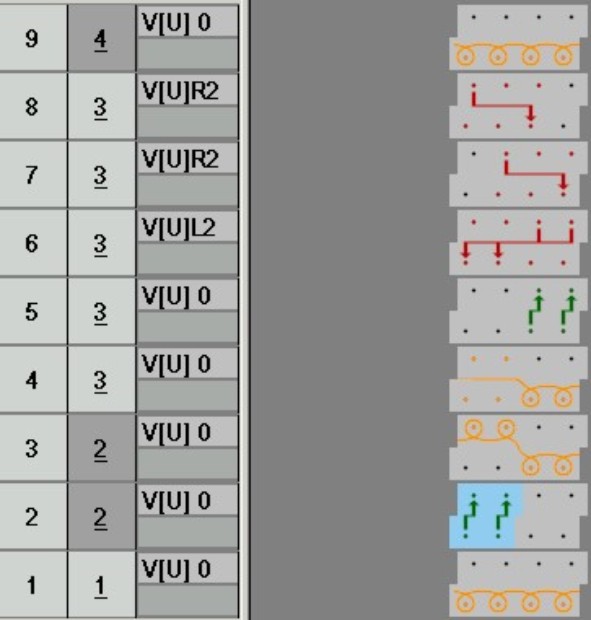
Cable 2x2< |
Knitting and transfer rows are grouped Effect: |
|
|
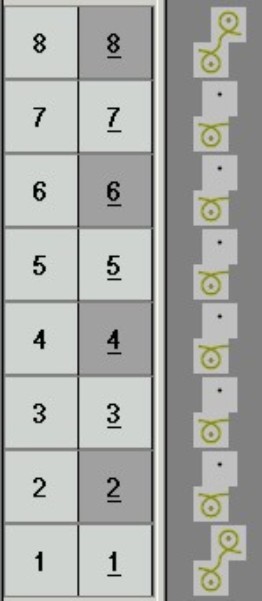
Wave |
Ungrouped knitting rows Effect: |
|
|
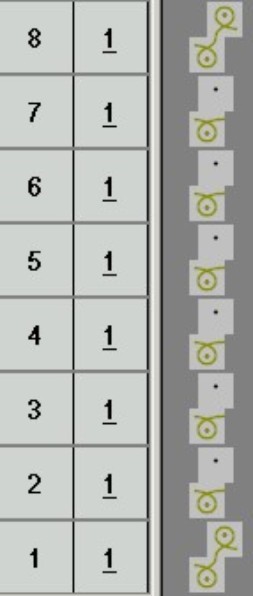
Wave |
Knitting rows grouped Effect: |
II. Ungroup grouped pattern rows:
- 1
- Select grouped rows in the Module Editor.
- 2
- Open the / / menu.
- The grouping of pattern rows is separated into technical rows.