Knitting technique
Three knitting systems are required to knit plush. This means that you need at least a 3-system machine for working with this equipment. A 4-system machine would be preferable. For transfer and purl patterns, the 4th system can be used for stitch transfer.
No special plush thread is required.
|
Knitting process: | ||
|---|---|---|
1 |
| Insert binding thread without stitch formation |
2 |
| Insert the plush thread and knit together with the binding thread |
3 |
| Cast-off |
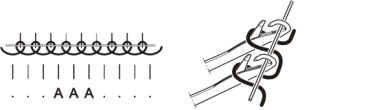
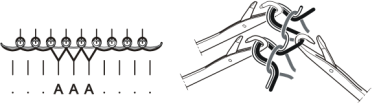
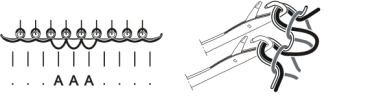
Included in a carriage stroke, the process looks like this:
|
|
|---|
|
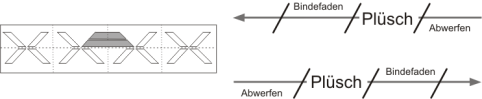
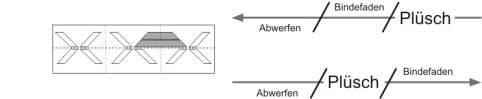
The two systems in which the plush cams are built-in must be considered as one unit.
This means: If a needle is selected in the first system, it must also be selected in the second system. It is not possible to select another needle in the second system, as the needle butt can no longer enter the cam channel. This would lead to needle breakage.
Create plush pattern on pattern workstation M1 and M1plus
Change the machine properties in the machine explorer before creating a plush pattern. You can only change the properties on an .
(Path: Extras -> Machine Explorer-> Select Own Machine -> Tab )
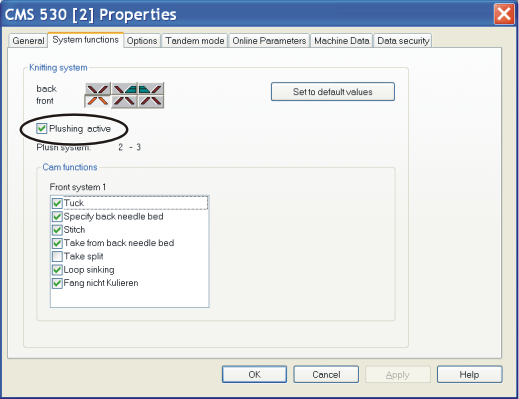
- 1
- Activate checkbox in field .
- 2
- A message appears and asks you whether the cam box functions for the plush knitting are to be adapted. Confirm this with Ok.
- When generating a pattern, the knitting function is carried out in the knitting systems which have been planned for this.
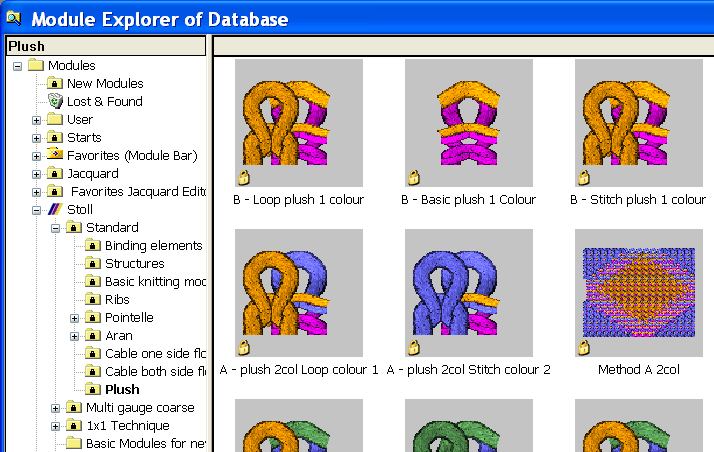
For generating a plush pattern, you can use the plush modules
(Path: Module -> Module Explorer Database -> Modules -> Stoll -> Standard -> Plush)
SIRIX and manual programming
Watch out the following points:
|
1 | Any system specification with "SX" must be avoided in order to ensure that the two converted systems are not inadvertently used for knitting. I.e.: No automatic programs or automatic functions may be used. | |
Remedy: | The knitting programme must be rewritten in such a way that the two converted systems are only used for plush knitting. | |
| ||
2 | The command "SPF" (Start the programme and fix it) must not be used. Also this would lead to an incorrect selection. | |
Remedy: | Instead of the command "SPF", use the command "SP950". For this purpose, the program section "PICK-UP AFTER PRESS-OFF" must be modified. | |
| ||
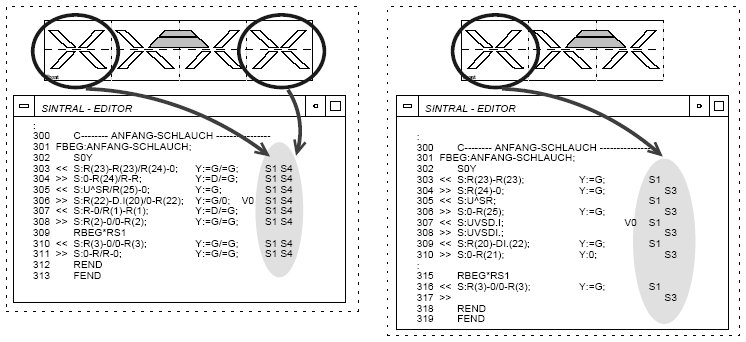
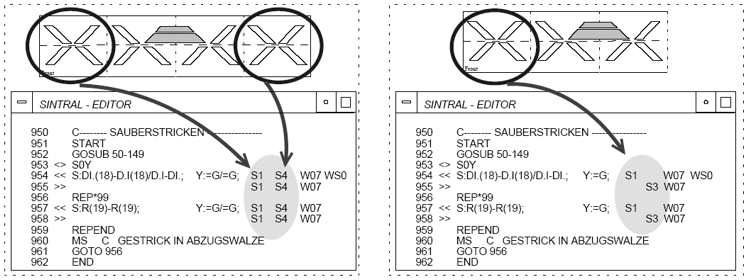
Single-colour plush pattern (SIRIX and manual programming)
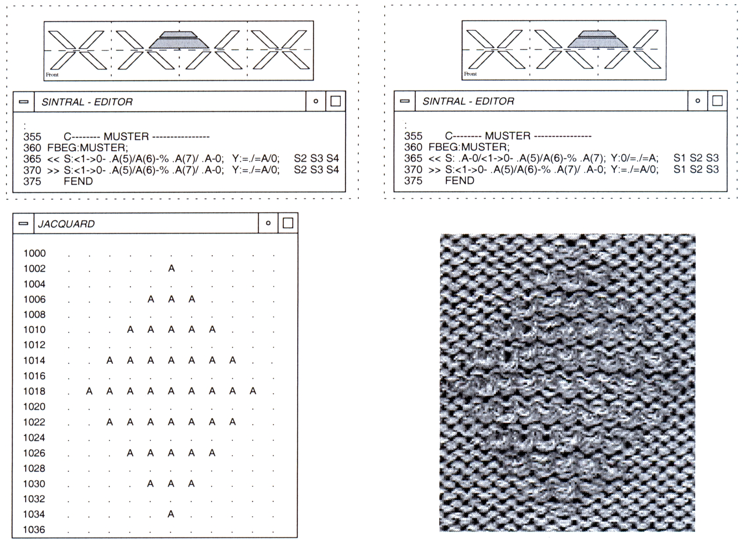
When generating the plush pattern, ensure that an additional knitting row is inserted after each plush row in order to avoid an accumulation of plush loops. This also ensures a reliable press-off of the plush loops.
A reliable press-off is also achieved by knitting with an additional yarn carrier in another system (e.g. "S4").
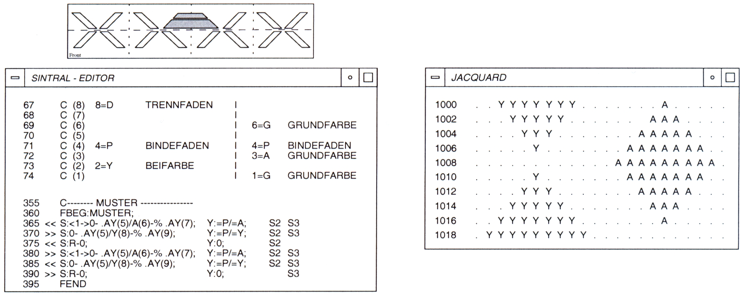
Two-colour plush pattern (SIRIX and manual programming)
Other examples are available in your Stoll website http://www.stollpattern.com .