Generate Color Arrangement
Wit the help of the Color Arrangements, the yarn carriers are grouped into systems and the color sequence is determined.
I. Generating Color Arrangement and entering it:
- 1
- In the pattern, select the lower intarsia area 1 in the entire height.
- 2
- Click the
 button.
 - The Color Arrangement Editor will be opened.
- 3
- Modify the Color Arrangement:
- Adapt the knitting sequence
- Combining the yarn carriers in the intarsia area 1
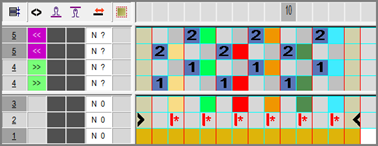
- 4
- Close the Color Arrangement Editor with
 .
. - The CA is saved and the color entry is entered in the
 control column.
 - 5
- Now select the intarsia area 2 in the pattern.
- 6
- Click the button.
- 7
- Modify the Color Arrangement.
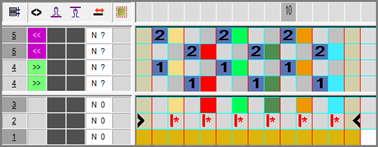
- 8
- Close the Color Arrangement Editor with .
- The CA is saved and the color entry is entered in the control column.