Step 7: Cut
- 1
- Cut out the shape with
 in the Steps of Processing toolbar.
- The k&w Options for Cut out dialog box appears.
Cut-out k&w options
- 1
- Confirm the settings in the dialog box with OK.
- The Insert/Replace k&w Start dialog box appears.
Insert/replace k&w start
- 1
- Select the desired k&w start.
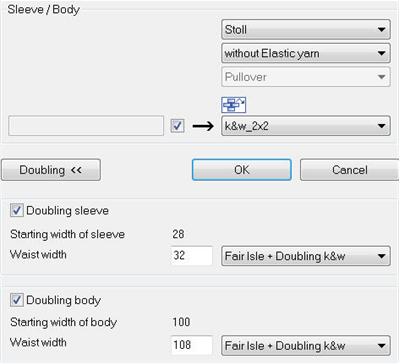
- 2
- Confirm the settings with OK.
- The start module and the information of the k&w Arrangements will be applied to the pattern.
Yarn field dialog box
- 1
- Calling-up the Yarn field dialog
 is possible.
- Automatic allocation of the Knot modules in standard situations.
- Automatic allocation of the Knitting-in and out modules in standard situations.
To the next step 8: Expanding and completing