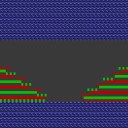
Multi-step narrowing / Doubling
Multi-step narrowing / Use Doubling:
- 1
- Open the Shape Editor.
- 2
- Open the attributes of a narrowing edge via .
- 3
- Activate
 in the tab.
|
Designation |
Use |
Presentation |
Function |
|---|---|---|---|
|
Fair Isle + Doubling k&w |
With doubling after the start |
|
Each stitch will be is transferred only once. Large rackings are necessary. |
|
Fair Isle + Doubling k&w II |
|
Stitches will be transferred several times. Small rackings are necessary. |