Draw structure and generate fade-out module
I. Generate basic motif:
Basic pattern with two neighboring and parallel running 2x2 cables with ribs.
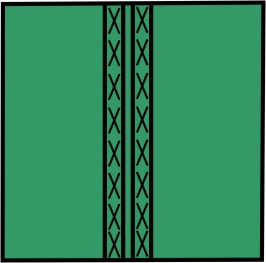
Example:
- On the left pattern half, the cable 2x2<
- On the right pattern half, the cable 2x2<
- 1
- Draw the structure for the left and for the right pattern half.
- 2
- Select an area and generate a pattern element / module from selection.
- 3
- Draw-in pattern elements in the entire pattern height.
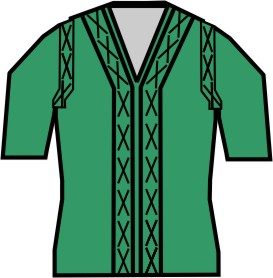
II. Generate a fading-out module 2x2 Cable with Rib:
- For fading out the V-neck.
- For fading out in the area of the sleeve opening (arm hole) after the sleeve body connection.
- 1
- Open the module editor via the / / menu and generate a new fade-out module using the Needle Actions symbol.
- or -
generate a Fade-out module based on a selection from the basic pattern. - 2
- Fade-out modules in the Module Explorer of Database
- or -
save as local modules in the Module Explorer of Pattern.