Knit
- No entry (function) is present in column 3.
- 1
- Click with the left mouse button in the corresponding row and column (shape part).
- The information Knit is entered.
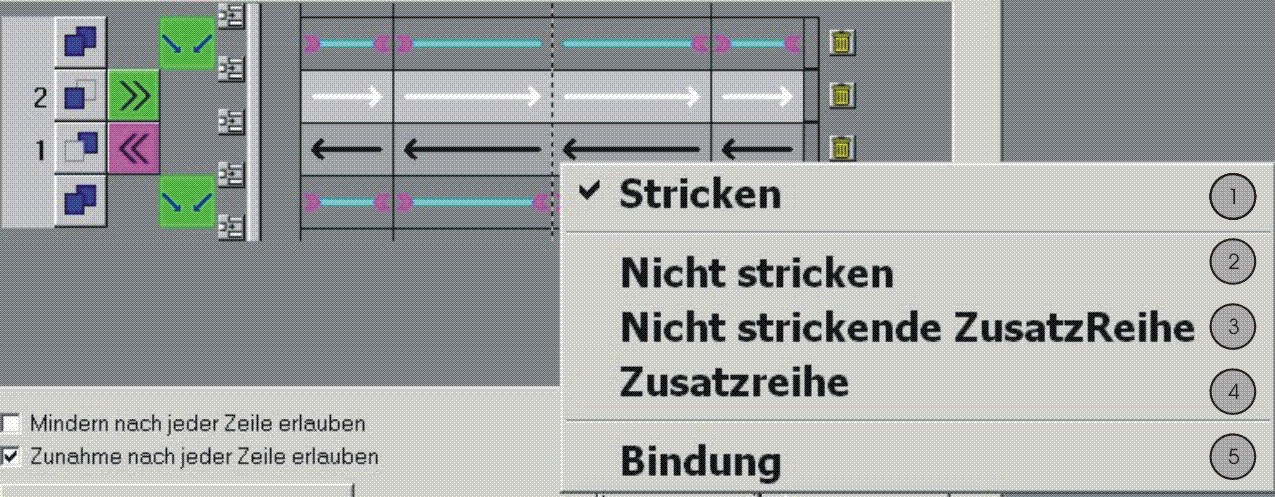
|
No. |
Function |
Meaning |
|---|---|---|
|
1 |
Knit |
Knitting row
|
|
2 |
Do not knit |
Not knitting row The row is edited in the shape view. |
|
3 |
Not knitting additional row |
Additional non-knitting row Row is originally not present in the shape view; the row is inserted. |
|
4 |
Additional Row |
Additional knitting row Row is originally not present in the shape view; the row is inserted. |
|
5 |
Binding |
Symbol inserts the symbol for gore at the start / end of a knitting row in the shape view. |