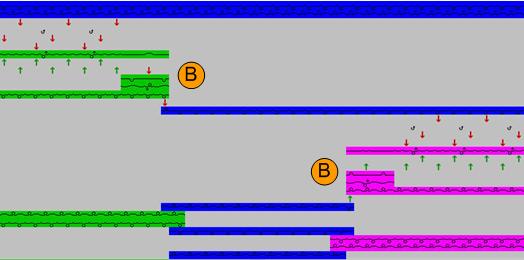
Yarn field settings
After the Cut-out shape Processing step  the yarn field settings for k&w pattern can be performed.
Home positions of the yarn carriers
- 1
- In the toolbar select the
 icon.
icon.
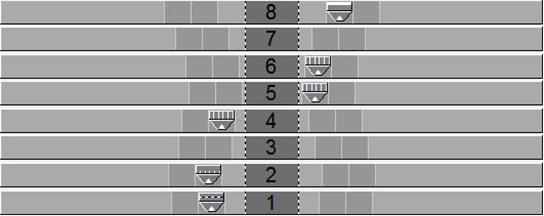
- In the dialog appears the yarn carrier home position for k&w patterns.
|
Yarn Carrier |
Function |
|---|---|
|
1A |
Draw thread |
|
1B |
only with short sleeve, additional draw thread |
|
2A |
Comb Thread |
|
4A |
Waistband thread left sleeve |
|
5A |
Waistband thread body |
|
6A |
Waistband thread right sleeve |
|
8A |
Residual yarn / protection yarn |
|
8B |
only with short sleeve , additional residual yarn |
Yarn field view
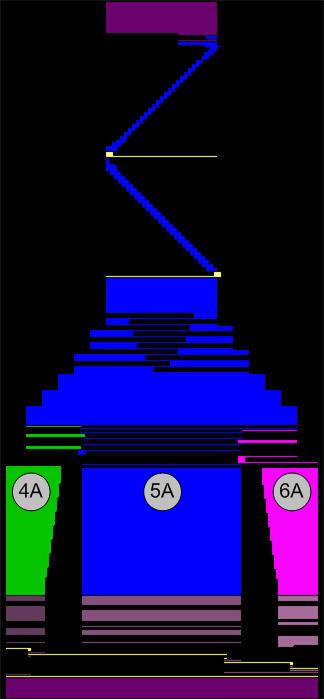
- The home position of the waistband yarn carriers corresponds to the allocation of the yarn carrier colors in the k&w pattern.
- The allocation of the yarn carrier colors is carried out by the k&w arrangements.
|
Yarn Carrier |
Function |
|---|---|
|
4A |
Yarn carrier color #82 in the left sleeve |
|
5A |
Yarn carrier color #79 in the body |
|
6A |
Yarn carrier color #75 in the right sleeve |
- Using the yarn carrier colors the waistband yarn carriers are maintained in the pattern.
- The allocation and home position of all yarn carriers can be changed if necessary.
- Depending on the pattern further yarn carriers can be allocated.
Yarn field settings
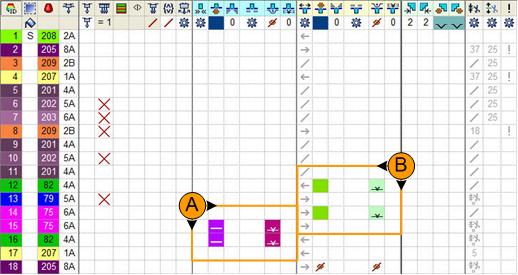
- Automatic allocation of knitting-in and knitting-out modules with standard situations.
- Automatic allocation of knot modules for locking threads.
- The settings can be changed at this point if necessary.
Knitting-in and knots
|
|
Control column |
Module |
Function |
|---|---|---|---|
|
|
|
|
Knitting-in the yarn carriers with remaining narrowing |
|
|
|
Locking the threads after knitting-in |

 Module for Knitting-in
 Float
Float Binding or knot at the start
 Knots
KnotsWith standard situation: Remaining narrowing
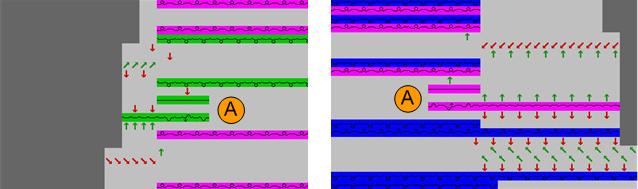
Knot and knitting-out
|
|
Control column |
Module |
Function |
|---|---|---|---|
|
|
|
|
Knitting-out of the yarn carriers after the sleeve body connection |
|
|
|
Locking the threads before knitting-out |

 Module for Knitting-out
 End Tubular connection
 Binding or knot at the end
 Knots tubular connection
With standard situation: Sleeve body connection