ShapeSizer
The ShapeSizer program enables:
- Generating different sizes
- Editing a standard shape quickly
- Modifying shape attributes for different sizes fast and easy
No own shapes can be saved in the ShapeSizer.
Open and edit shape:
- 1
- Open the ShapeSizer dialog box via the / menu.
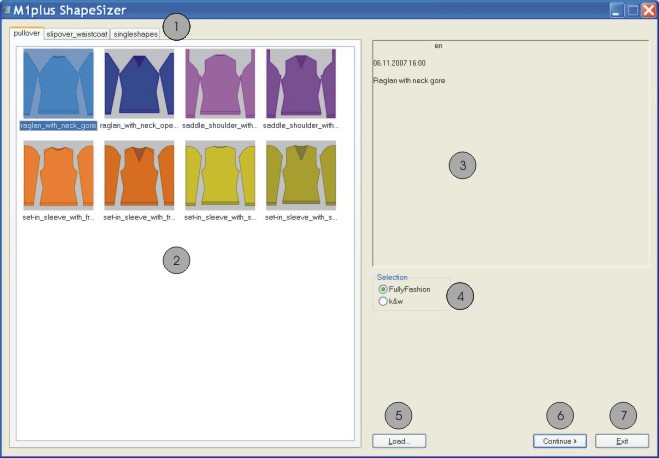
|
|
Function |
|---|---|
|
1 |
Tabs of the different shape directories
|
|
2 |
Overview window of the Stoll standard shapes |
|
3 |
Information window |
|
4 |
Select the Fully Fashion or k&w mode |
|
5 |
Load a file generated in the ShapeSizer (.shz) |
|
6 |
Switch to the next dialog window of the ShapeSizer |
|
7 |
Close the ShapeSizer |