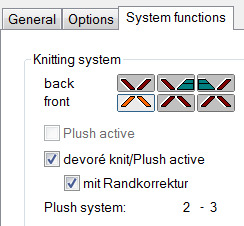
System default and settings for devoré and plush
For processing devoré patterns, machine-related data settings are necessary on the M1plus.
System defaults
- A machine with minimum 3 systems has to be selected.
- 1
- Call up the MC Attributes dialog box via the / menu.
- 2
- Activate the devoré knit/plush active check box in the tab of the section.
- 3
- Activate the with selvedge correction function.