Shapewizard: Combine shape elements
Combine the shape elements to form a k&w shape:
- The shape elements for the front and back of the body, sleeve and collar were generated in the shape editor.
- 1
- Open the ShapeWizard dialog box via the / menu.
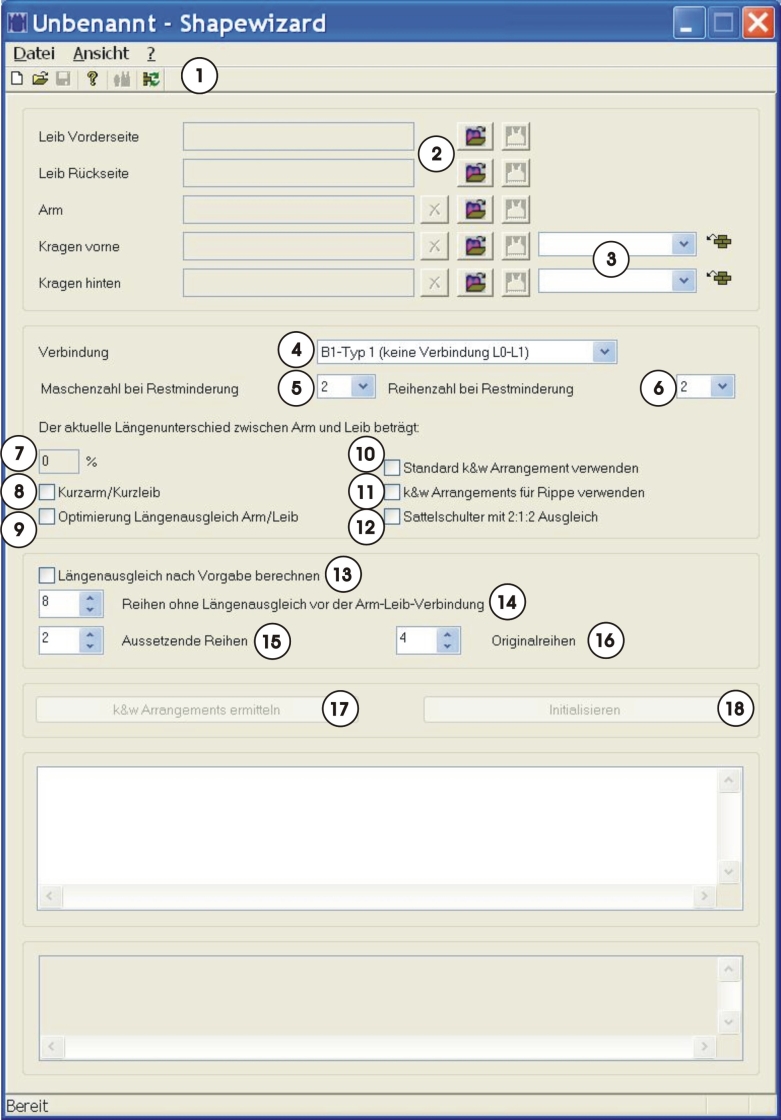
|
No. |
Function | ||||
|---|---|---|---|---|---|
|
1 |
|
Open shape display. | |||
|
|
Update of the k&w Arrangements loaded at the start of the Shapewizard. Meaning k&w Arrangements newly saved in the Module Explorer after starting the Shapewizard will be reloaded. | ||||
|
2 |
|
Delete loaded shape elements | |||
|
|
Load shape elements | ||||
|
|
Open Shape Editor | ||||
|
3 |
Specify the module for knitting mode of the collar. | ||||
|
4 |
Select the type of the sleeve-body connection. | ||||
|
5 |
Select the number of stitches per remaining narrowing. | ||||
|
6 |
Select the number of knitting rows per remaining narrowing. | ||||
|
7 |
Percentaged display of the length difference between sleeve and body | ||||
|
8 |
Short sleeve/short body | ||||
|
|
Length compensation between sleeve and body will be knit with residual yarn.
| ||||
|
|
Length compensation between sleeve and body will be done by suspension. | ||||
|
9 |
Optimized Running Time | ||||
|
|
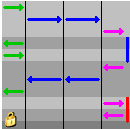
A special k&w Arrangement (A25-3 tubulars x:1:x) for length compensation between sleeve-body-sleeve will be inserted. Result:
Traversing path of the carriage is shorter resulting in a shorter running time. | ||||
|
|
Default k&w Arrangement for the length compensation between sleeve-body-sleeve will be inserted. Result:
| ||||
|
10 |
Use the standard k&w Arrangement | ||||
|
|
The X-Standard k&w Arrangement is inserted in areas without a automatically determined k&w Arrangement. | ||||
|
|
For all areas for which no k&w Arrangement could be determined, no k&w Arrangement will be inserted. | ||||
|
11 |
Use k&w Arrangements for Rib | ||||
|
|
k&w Arrangement for the knitting mode 2x2 rib will be used. |
| |||
|
|
k&w Arrangement matching all other knitting modes will be used. | ||||
|
12 |
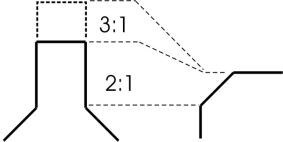
Saddle shoulder with 2:1:2 compensation | ||||
|
|
The shape with saddle shoulder will be edited in the 2:1 ratio. |
| |||
|
|
The shape with saddle shoulder will be edited in the 3:1 ratio (default). | ||||
|
13 |
Calculate length compensation according to setting | ||||
|
|
Length compensation between body - sleeve is not calculated | ||||
|
|
Length compensation between body - sleeve is calculated | ||||
|
|
14 |
Specification of the number of knitting rows without length compensation before the sleeve-body connection | |||
|
15 |
Specification of the number of suspending rows for calculating the length difference | ||||
|
16 |
Specification of the number of original rows (knitting rows) for calculating the length difference | ||||
|
17 |
Determine the k&w Arrangement with the set specifications. | ||||
|
18 |
Delete the determined k&w. | ||||


 :Activate the checkbox if the length difference between the sleeve and body is greater than 20%.