Lay-on and position the shape and draw-in the motif
I. Lay k&w shape onto the basic pattern:
- 1
- Call up the dialog box with the / menu.
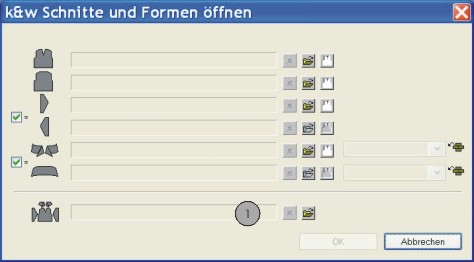
- 2
- Load the shape with the .kaw extention via
 (1).
(1).
- 3
- Confirm the selection with OK.
- The shape elements get layed on the basic motif of the Symbol View [Basic].
II. Position the shape:
- Shape with k&w Arrangements lies on the basic pattern.
- 1
- Position the shape elements Sleeve and Body on the motif with the
 symbol activated and the left mouse button pressed.
- or -
Select the desired shape element left clicking. Position the selected shape element with the arrow keys of the keybord or of the Properties of Drawing Tools toolbar.
III. Draw-in an intarsia color stripe:
- 1
- Draw-in a stripe with a further color in complete height and desired width at the outer edges of the left and right sleeve:
- Yarn color
- Yarn carrier color
- 2
- Draw in a structure (e.g. Rib) in the color stripe if desired.