Complete the Pattern
I. Complete the pattern:
- 1
- Expand the pattern with the
 button of the Steps of Processing toolbar.
When expanding the marking for the binding thread and the motif yarn is entered in the  control column.
- 1
- The following functions are included in the control column:
|
symbol | Function |
|---|---|
| Use the system function for binding thread. |
| Use the system function for motif thread. |


- 1
- Start the technical processing with the
 icon.
icon.
- In the Technical Assistant dialog the following message appears often: .
- 1
- Select the option Determine the knitting system automatically.
The option Prompt no longer can be activated after message appesrs for the first time.
- 1
- Confirm the message with Continue repeatedly.
- The stitch notation for devoré is displayed
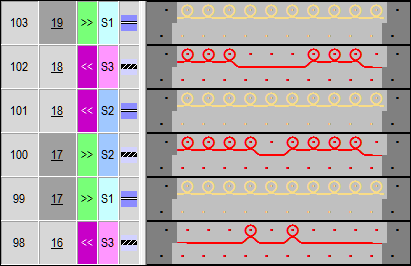
- 1
- The query appears.
- 2
- Confirm the query with OK.
- The following instruction is entered in the .
Pattern with Stoll-devoré knit® knitting technique are executed according to the possibilities of the systems usage.
- 1
- Run the Sintral-CheckSintral Check via the Steps of Processing
 toolbar.