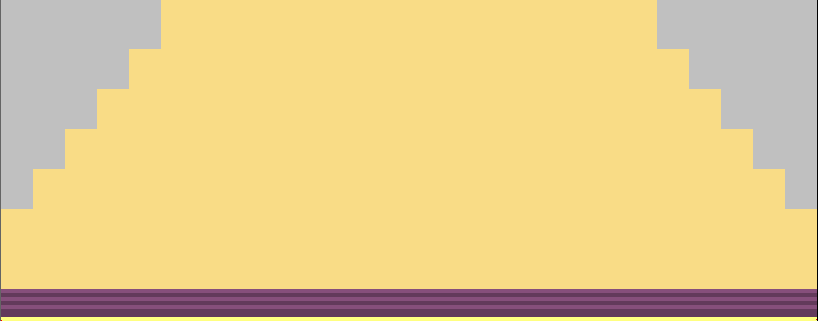
Draw-in and cut out narrowing steps
I. Draw-in narrowing steps in the basic pattern
- The basic pattern with structure is created.
- 1
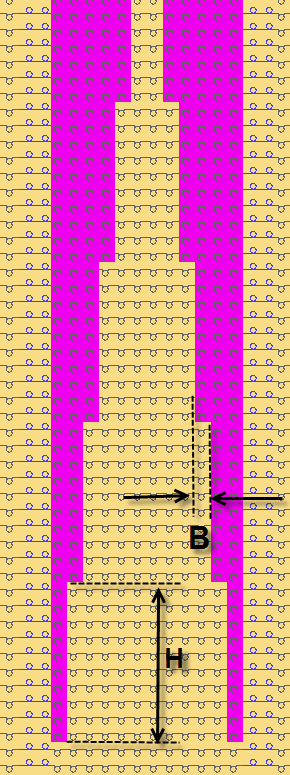
- Draw-in the narrowing steps with any desired yarn color between the cable ribs in the left hand side pattern half.
- 2
- Please note when drawing-in:
- Draw-in the narrowing steps in the area without modules (cable).
- The amount of knitting rows to the next narrowing step (H).
- Narrowing width / cover width (B).
- 3
- Draw-in more narrowing steps with another yarn color in the right hand side pattern half.
- Pattern with drawn in narrowing steps.
II. Select and cut out narrowing steps
- 1
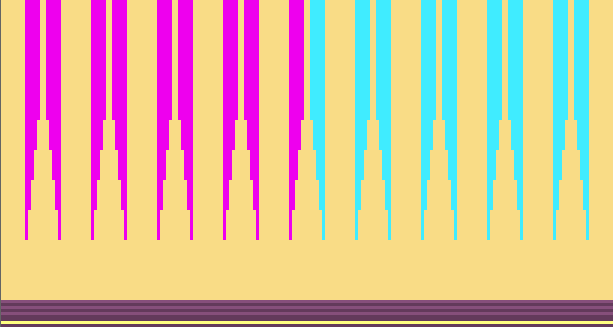
- Select all drawn in narrowing steps in color in the left hand side pattern half with the drawing tool:
-
 Fill with the Magic Wand and multiple selection Ctrl.
  Search and Select
- 2
- Call up the Delete area dialog box with
 .
.
- 3
- Delete the selected narrowing steps with the left arrow key showing to the right
- The outer edge will be placed inwards.
- 4
- Select in the same way the drawn in narrowing steps in color in the right hand pattern half and delete them with right arrow key showing to the left.
- The narrowing steps are deleted and large stepping is resulting.