Settings for the use of the comb
Settings in Configuration
- A knitting program with settings for the start is created and stored in the basic pattern.
- 1
- In the menu call up the dialog box.
- 2
- Select the Comb, Clamping tab.
- 3
- The following functions must be enabled in the Comb, clamping section.
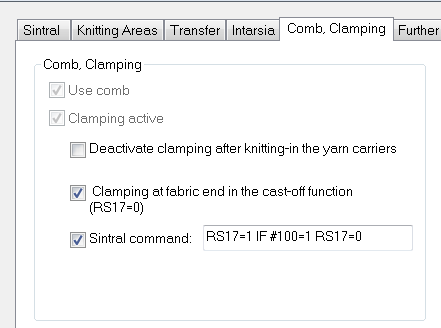
- Clamping at Fabric End in the Cast-off Function (RS17=0)
- Sintral command
- 4
- Confirm the settings with the OK button.