Creating Plating Color and Draw it into the Design Pattern
Creating Plating Colors:
- 1
- Open the dialog box with
 in the Pattern Colors tool window.
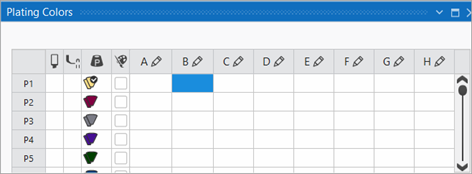
 - The tool window appears.
- 2
- Under P1 (Plating color 1) in the columns A to H allocate the desired colors for plating.
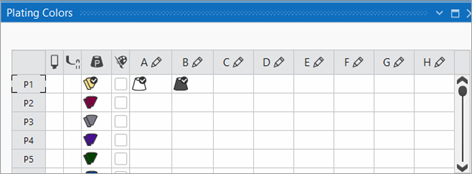
- In the column under P1 the automatically generated plating color is displayed.
You can make upto 8 entries (columns A - H) for plating or for knitting with weft yarn carrier.
- 3
- If necessary change the color in the column via the

 menu.
menu. - 4
- Select the P1 entry in the
 column.
 - The selected plating color can be drawn-in.
- 5
- Draw-in the plating color into the desired pattern rows of the design pattern.
- 6
- Close the tool window.