Draw Jacquard Areas into the Pattern
Draw-in Jacquard Areas (Borders):
- 1
- Select the
 Pattern Color setting in the
  status bar to draw the colored areas.
 - The basic pattern will shown by yarn colors / magazine colors / yarn carrier colors.
- 2
- Select the desired color in the Pattern Colors tool window.
Yarn Colors or Magazine Colors - 3
- Draw-in the Jacquard borders with the desired colors.
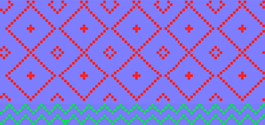
- or -
Select pattern elements for drawing-in borders.
In the Knit Explorer -> Knitting Element Depot -> Pattern Elements -> Pattern Elements, All Needles -> Pattern Elements, Jacquard
A new yarn carrier is defined for each color drawn-in.