Quick Access Toolbar
In the quick access toolbar you have access at any time to the following commands:
 The quick access toolbar can be found at the left border of the title bar.

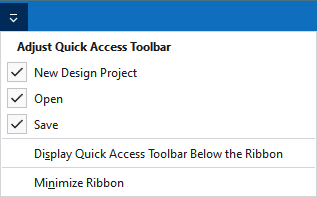
Using the drop-down menu you can display and hide some commands in the quick access toolbar.
Make settings for the presentation of the ribbon.
|
|
Create a new design project. |
|
|
Opens the 'File Open' dialog box. |
|
|
Save |
|
|
Undoes the previous operation. |
|
|
Repeats the previous operation. |
|
|
Organize knitting elements, i.e. modules, CAs, MAs and pattern elements in the Knit Explorer. This command is always available in the quick access toolbar and cannot be hidden. |
|
Display Quick Access Toolbar Below the Ribbon |
Display the quick access toolbar under or above the ribbon. |
|
Minimize Ribbon |
Show or hide the ribbon. |


